Starting your journey in Search Engine Optimization (SEO) in 2026 can feel like entering a high-stakes financial minefield. Enterprise marketing software vendors aggressively bombard beginners with claims that ranking on Google requires $150 to $300 monthly subscriptions for bloated, all-in-one SaaS toolkits. For solo founders, freelance developers, content creators, and bootstrapped startups, these recurring software overheads create an artificial barrier to entry that drains capital before a single organic visitor ever converts.
Here is the unvarnished engineering truth that enterprise software sales reps will never admit: You do not need to spend a single dollar on software to build an authoritative, high-ranking, and revenue-generating organic search asset in 2026.
In fact, some of the most critical, accurate, and actionable search intelligence platforms on earth are completely free. Search engines themselves—led by Google and Microsoft Bing—provide direct diagnostic APIs, performance portals, and indexing protocols at zero cost. When combined with the generous free tiers of battle-tested technical desktop crawlers, browser-based inspection extensions, and structured data generators, a disciplined beginner can assemble an enterprise-grade SEO tech stack that rivals the analytical depth of multi-thousand-dollar marketing suites.
Whether you are launching your first website, diagnosing unexplained traffic drops, or scaling your organic search visibility, this exhaustive architectural guide provides the definitive playbook. Below, we break down the 12 best free SEO tools for 2026 across five operational pillars—Search Analytics & Indexing, Keyword Intent Discovery, Technical Crawling & Core Web Vitals, Backlink & Authority Tracking, and On-Page Schema Engineering—complete with setup protocols, free-tier boundary management, and a step-by-step 30-day execution framework.
Chapter 1: The 2026 SEO Landscape: Why Smart Beginners Win with Free Tools
Search engine algorithms have undergone radical structural shifts. As covered in our comprehensive analysis of SEO fundamentals for beginners, search engines in 2026 are not simple keyword-counting machines. They are multimodal semantic neural networks powered by advanced language models that prioritize Information Gain, verified human experience (E-E-A-T), sub-second technical performance, and direct user satisfaction.
Many beginners mistakenly believe that paying for an enterprise tool guarantees search rankings. In reality, commercial SEO platforms merely scrape, estimate, and model data that originates from primary sources. When you use third-party tools for search volumes or keyword rankings, you are consuming third-party mathematical estimations. In contrast, tools like Google Search Console and Bing Webmaster Tools provide first-party telemetry directly from the search engine's live retrieval and ranking index.
By mastering specialized free tools, beginners gain three distinct strategic advantages:
- First-Party Accuracy Over Modeled Approximations: You operate on exact impression counts, actual search queries, and real server-side crawl error logs rather than sample-based estimates.
- Zero Financial Burn During Foundation Building: In the first three to six months of building topical authority, your capital is best deployed on high-quality content production, developer speed optimization, and original research—not passive SaaS subscriptions.
- Deep Conceptual Mastery: Enterprise tools often create lazy marketers who rely on generic proprietary "SEO Scores." Free tools force you to understand the underlying mechanics of HTTP headers, canonical directives, Core Web Vitals, and search intent clusters.
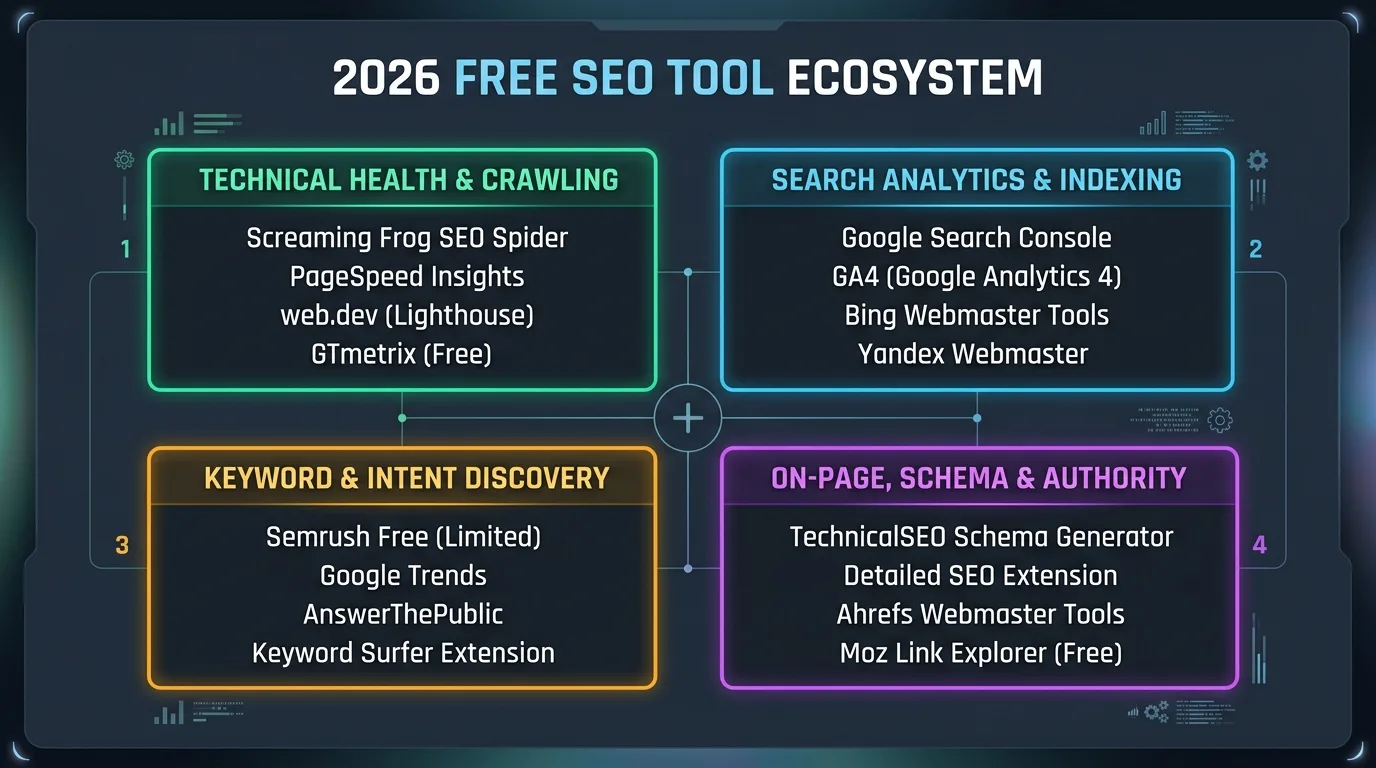
| Tool Name | Core Discipline | Free Tier Scope / Limitation | Ideal Beginner Use Case |
|---|---|---|---|
| Google Search Console | Search Analytics & Indexing | 100% Free (Up to 1,000 rows in UI) | Tracking impressions, CTR, queries, and indexation health |
| Google Analytics 4 | Behavior & Conversion Telemetry | 100% Free (Standard Quota) | Measuring engagement rate, session duration, and goal conversions |
| Bing Webmaster Tools | Multi-Engine & Instant Indexing | 100% Free (Full Access) | IndexNow instant URL submission & Copilot search visibility |
| Screaming Frog SEO Spider | Desktop Technical Crawling | Free up to 500 URLs per crawl | Detecting 404 broken links, 301 loops, and missing meta tags |
| Semrush Free Account | Keyword & Competitor Gap Analysis | 10 Searches / Day (10 results/report) | Commercial intent research & competitor keyword discovery |
| Google Trends | Demand Trajectory & Seasonality | 100% Free (Full Access) | Identifying emerging breakout topics & seasonal search spikes |
| AnswerThePublic | Semantic Question Mapping | 3 Free Searches / Day | Extracting question-based queries for Featured Snippets |
| Keyword Surfer | In-SERP Keyword Intelligence | 100% Free Chrome Extension | Viewing real-time search volume & related keywords on Google |
| Ahrefs Webmaster Tools | Backlinks & Internal Link Health | Free for Verified Domains | Auditing external backlink profiles & discovering orphan pages |
| TechnicalSEO Schema Gen | JSON-LD Structured Data | 100% Free Web Utility | Generating valid Schema.org markup for rich search results |
| PageSpeed Insights / Lighthouse | Performance & Core Web Vitals | 100% Free (Lab & Field Data) | Diagnosing INP, LCP, CLS, and JavaScript execution bottlenecks |
| Detailed SEO Extension | Instant On-Page DOM Audit | 100% Free Browser Extension | Instant one-click inspection of headings, canonicals, and robots tags |
Chapter 2: Category 1: Search Analytics, Indexation & Conversion Engines
Before optimizing a single title tag or drafting an article, a website owner must establish bi-directional communication with search engine crawlers and deploy accurate conversion telemetry. Without these baseline instruments, you are navigating in total darkness.
1. Google Search Console (GSC): The Indispensable Search Command Center
Google Search Console is the single most important tool in digital marketing. It is not an estimation tool; it is Google's direct communication portal with your website. GSC reveals exactly how Google's automated crawlers (Googlebot) view, index, rank, and render your web pages.
For beginners, GSC provides four mission-critical capabilities:
- The Performance Report: Displays the exact search queries driving impressions, clicks, Click-Through Rate (CTR), and average SERP position. It allows you to identify "striking-distance keywords"—queries ranking in positions 8 through 20 that can jump to page 1 with minor on-page refinements.
- URL Inspection Tool: Allows real-time live testing of any individual URL. You can inspect whether Googlebot encountered rendering errors, verify canonical selection, test mobile usability, and submit new URLs for accelerated crawling.
- Page Indexing Report: Categorizes non-indexed pages into actionable diagnostic buckets (e.g., "Crawled - currently not indexed", "Discovered - currently not indexed", "Page with redirect"). As detailed in our master guide to fixing crawl errors and technical indexation, monitoring this report prevents catastrophic visibility drops.
- Security & Manual Actions: The sole place where Google issues explicit webspam notifications, unnatural backlink flags, or security compromises requiring forensic penalty recovery protocols.
The standard GSC web interface caps query and page exports at 1,000 rows. Beginners can completely bypass this limitation for free by connecting their GSC property to the free Google Search Console Connector inside Looker Studio or utilizing the free GSC API via Google Sheets. This extracts up to 25,000 rows of granular query telemetry without paying for enterprise software.
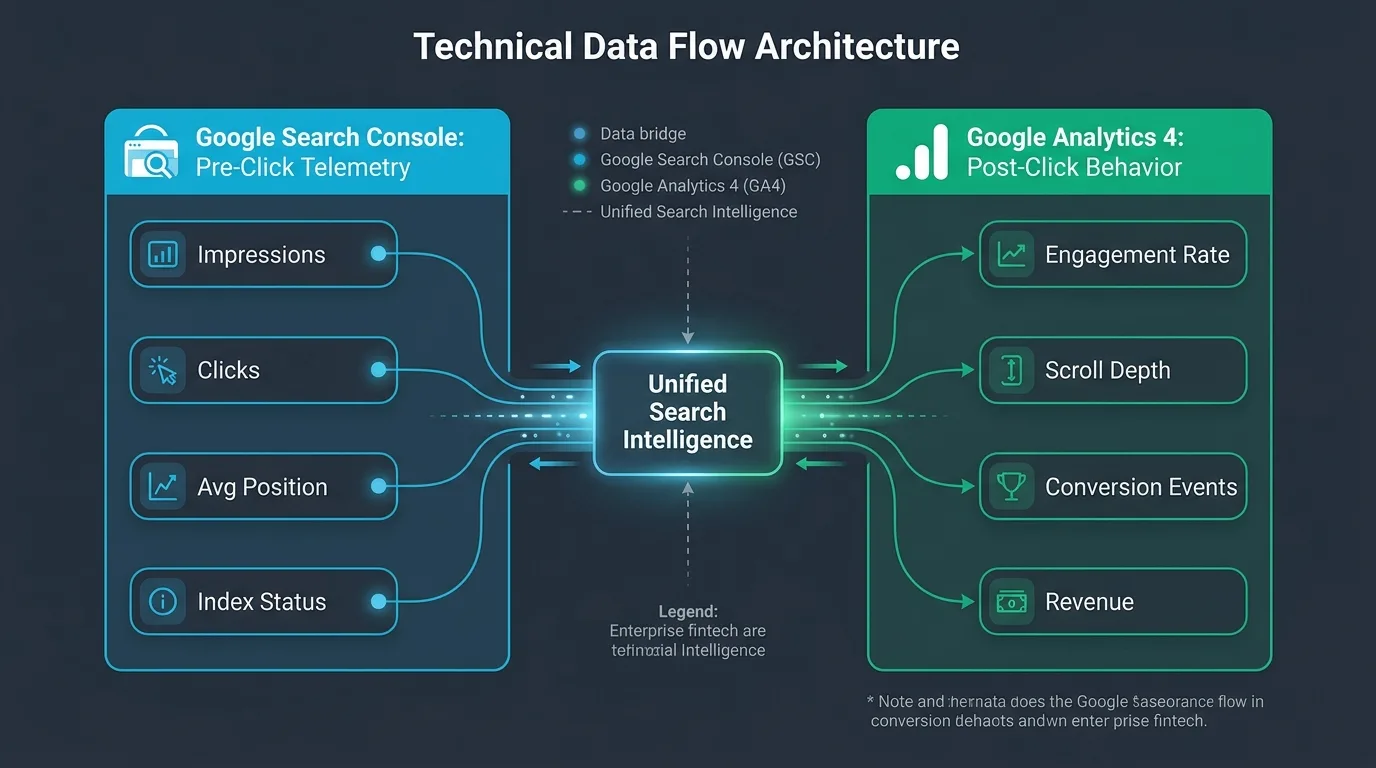
2. Google Analytics 4 (GA4): Post-Click User Engagement and Revenue Telemetry
While Google Search Console reveals what happens before a user clicks your link in search results, Google Analytics 4 reveals what happens after they land on your website. High rankings mean nothing if inbound organic visitors immediately bounce due to poor UX or confusing navigation.
In 2026, user engagement signals heavily influence long-term ranking stability. GA4 replaces outdated vanity metrics like raw pageviews with event-driven behavioral tracking:
- Engagement Rate & Engaged Sessions: Measures the percentage of visits that lasted longer than 10 seconds, had 2 or more pageviews, or completed a conversion event. A landing page with an organic engagement rate below 40% signals to search engines that user intent was unsatisfied.
- Landing Page Revenue Attribution: By establishing conversion events (form submissions, newsletter signups, e-commerce purchases), GA4 tracks the exact monetary yield generated by specific organic articles, connecting search optimization directly to business cash flow.
- Search Console Integration: GA4 features a native, free Search Console integration that merges pre-click query data with post-click engagement metrics into a single unified dashboard.
3. Bing Webmaster Tools & IndexNow: Multi-Engine Dominance & Real-Time Indexation
Ignoring Microsoft Bing in 2026 is an expensive rookie mistake. With Microsoft integrating Copilot conversational intelligence directly into Windows, Microsoft Edge, and Bing Search, Bing commands over 14% of global desktop search market share and an even higher percentage of affluent B2B enterprise users.
Bing Webmaster Tools (BWT) offers features that are superior to Google Search Console in several key aspects:
- IndexNow Protocol Support: The IndexNow open protocol allows webmasters to notify search engines instantly whenever content is published, updated, or deleted. Rather than waiting days for crawlers to discover changes, IndexNow triggers immediate re-crawling within minutes.
- Built-In SEO Audit & Keyword Tool: BWT includes an automatic technical site crawler that audits your website for compliance errors, alongside an integrated keyword research engine powered by historical Bing search logs—completely free without daily query limits.
- Copilot Search Insights: Detailed telemetry showing how your site is indexed, referenced, and cited within Microsoft Copilot generative search responses.
If your website uses Cloudflare (which offers an exceptional free plan), you can activate IndexNow with a single toggle under Cloudflare Crawl Center. Alternatively, free WordPress plugins like the official IndexNow plugin will automatically ping Bing and participating search engines the moment you click "Publish" on a new article.
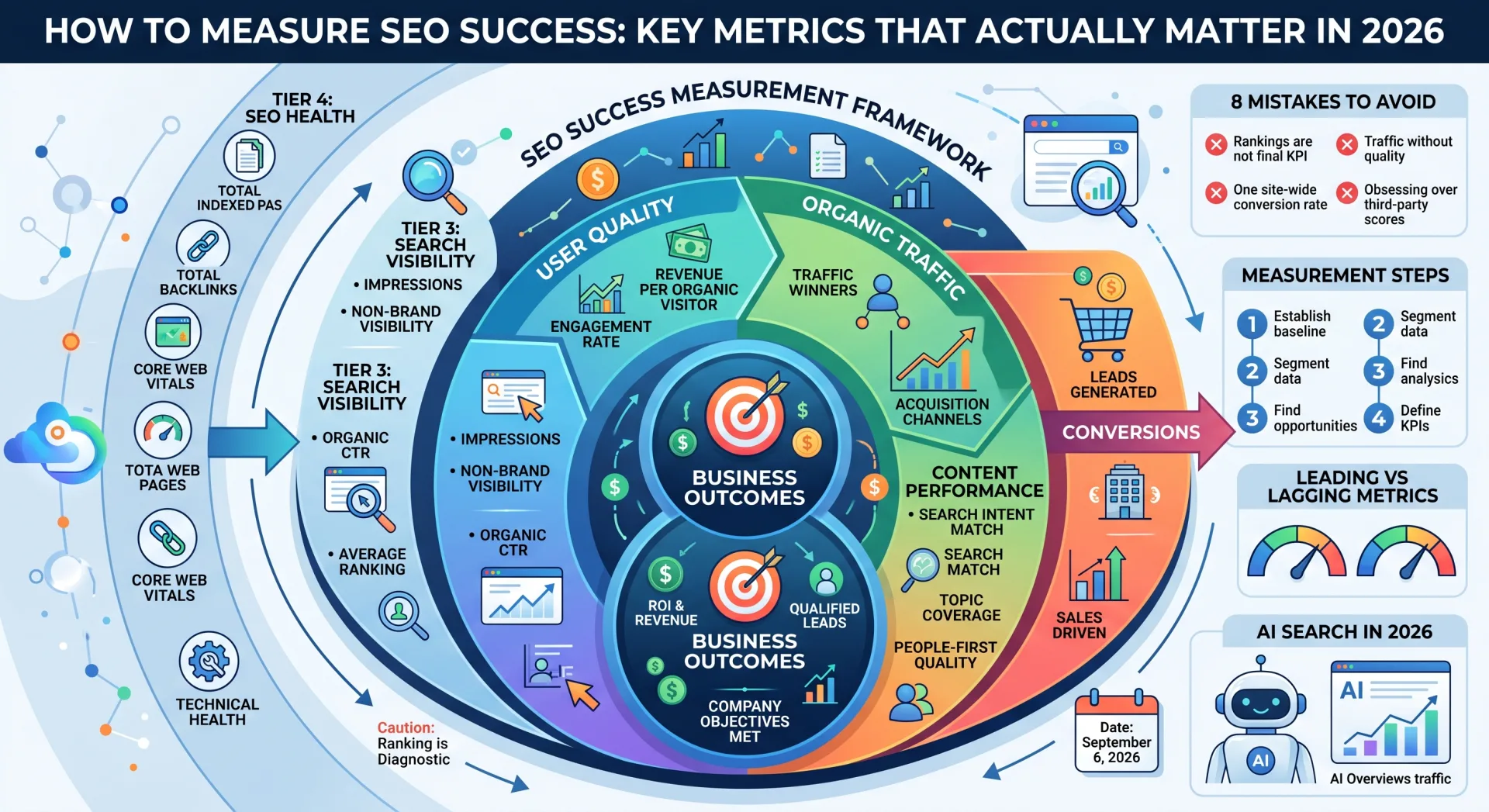
Chapter 3: Category 2: Keyword Discovery, Search Intent & Demand Mapping
The foundation of organic growth is targeting search queries that real human beings type into search boxes, with clear alignment to their underlying psychological intent. As detailed in our master guide on how to conduct keyword research step-by-step, chasing high-volume keywords without verifying intent produces empty traffic that never converts.
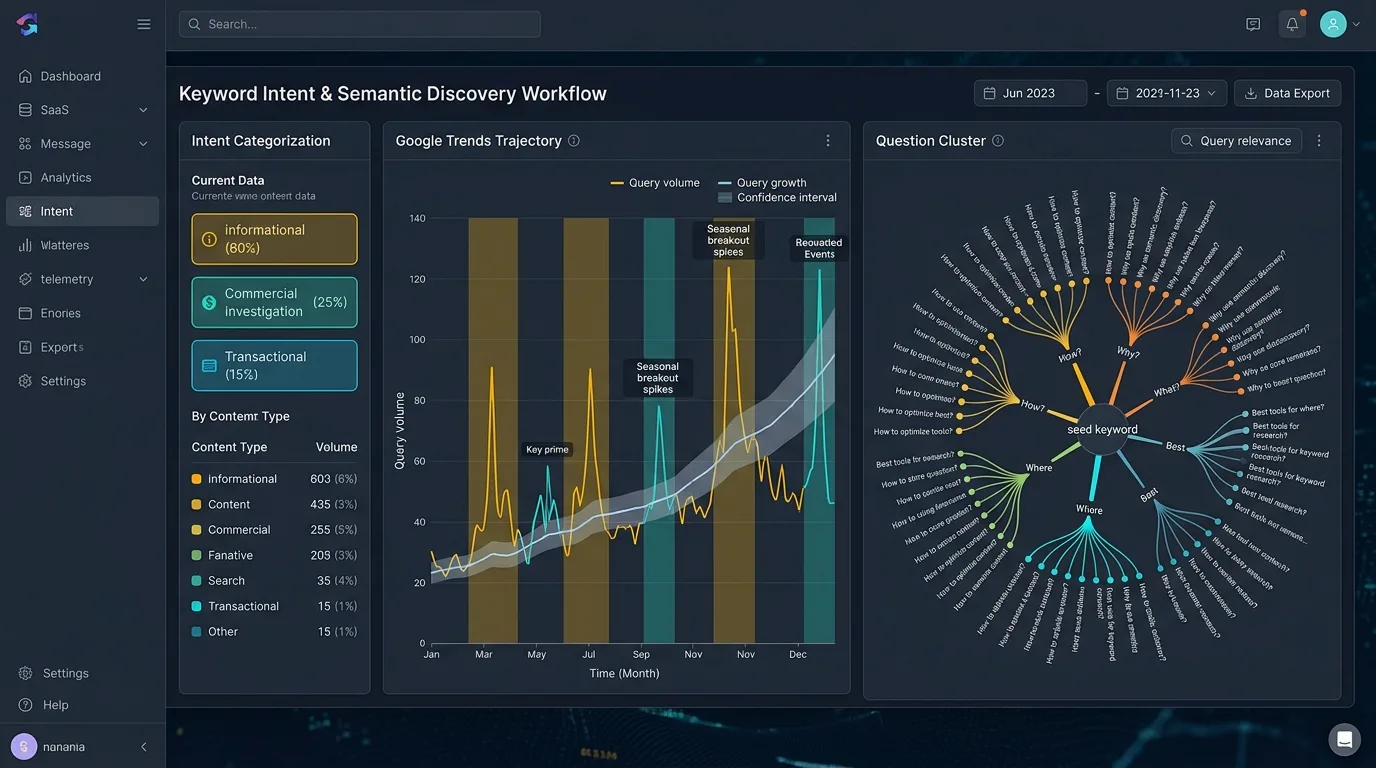
4. Semrush Free Account: Surgical Competitor Intelligence & Intent Tagging
While an enterprise Semrush plan costs over $130 per month, their Free Account tier is one of the industry's best-kept secrets. By registering a free account without providing credit card details, beginners unlock access to 10 free searches per day across their entire suite of databases.
How beginners should deploy their 10 daily free Semrush searches:
- Domain Overview & Competitor Gap Analysis: Enter your top 3 competitors' URLs. In seconds, Semrush exposes their highest-performing organic pages, estimated organic traffic, and the top 10 keywords driving conversions to their domain.
- Keyword Magic Tool (Intent Classification): When researching a target phrase, Semrush automatically categorizes every keyword into four distinct intent buckets: Informational (I), Navigational (N), Commercial (C), and Transactional (T). For a beginner aiming to generate revenue, focusing on Commercial and Transactional keywords prevents wasting effort on broad, unmonetizable queries.
- Keyword Difficulty (KD%) Benchmark: Use your daily searches to filter for keywords with a KD% under 25%, identifying low-competition opportunities where a new domain can realistically capture page 1 rankings.
Because Semrush free accounts limit users to 10 searches per 24-hour window, never enter generic, one-word queries like "shoes" or "marketing." Plan your seed keywords in advance using Google Autocomplete or Google Trends, and only execute searches in Semrush when you are ready to export and document competitive long-tail clusters.
5. Google Trends: Validating Trajectory, Seasonality & Breakout Demand
Standard keyword research tools display historical 12-month average search volumes. This creates a dangerous blind spot: a keyword showing "10,000 monthly searches" might have peaked eighteen months ago and be plummeting into irrelevance today. Conversely, a rapidly surging technology or cultural trend might show "0 searches" in legacy databases because the search volume is too new.
Google Trends provides real-time, un-sampled search interest telemetry directly from Google's global query stream. Beginners should use it for three core tasks:
- Trajectory Validation: Verify whether search interest for a topic is growing, plateauing, or decaying over 5-year, 12-month, and 90-day time horizons. Never spend weeks writing comprehensive content for a declining topic.
- Breakout Query Exploitation: Under the "Related Queries" module, look for terms marked as "Breakout" (+5,000% growth). These represent explosive real-time demand shifts where competition is near zero, offering beginners an immediate window to rank #1.
- Geographic & Sub-Region Targeting: Identifies exactly which countries, states, or metropolitan areas exhibit the highest concentration of search interest, enabling hyper-focused local content optimization.
6. AnswerThePublic: Reverse-Engineering Human Curiosity for Rich Snippets
When consumers search the web, they increasingly formulate queries as complete conversational questions—especially with the rise of voice search, conversational assistants, and mobile queries. AnswerThePublic visualizes raw search autocomplete data by mapping seed keywords into radial question wheels.
By entering a core topic, AnswerThePublic extracts hundreds of queries categorized by prepositional modifiers:
- Question Triggers: Who, What, Where, When, Why, How, Which, Can
- Prepositions: For, Without, Near, With, To, Is
- Comparisons: Vs, Versus, Or, Like, And
For beginners, this tool is the ultimate blueprint for structuring comprehensive articles. By incorporating these exact question clusters as <h3> subheadings and providing direct, authoritative 40-to-60-word answers directly beneath them, you dramatically increase your likelihood of winning Google Featured Snippets and People Also Ask (PAA) real estate.
7. Keyword Surfer: Frictionless On-SERP Keyword Intelligence
Logging into web portals every time you need to check a keyword's search volume introduces workflow friction. Keyword Surfer is a 100% free Chrome extension developed by Surfer that embeds search data directly into your standard Google search interface.
Every time you conduct a Google search, Keyword Surfer automatically injects:
- Estimated monthly search volume for the exact query in your target country.
- Estimated Cost Per Click (CPC) for Google Ads bidding.
- A dedicated sidebar displaying 10 to 20 related search queries with corresponding volume and similarity percentages.
- Word count and exact keyword frequency counts for the top 10 ranking pages currently occupying the SERP.
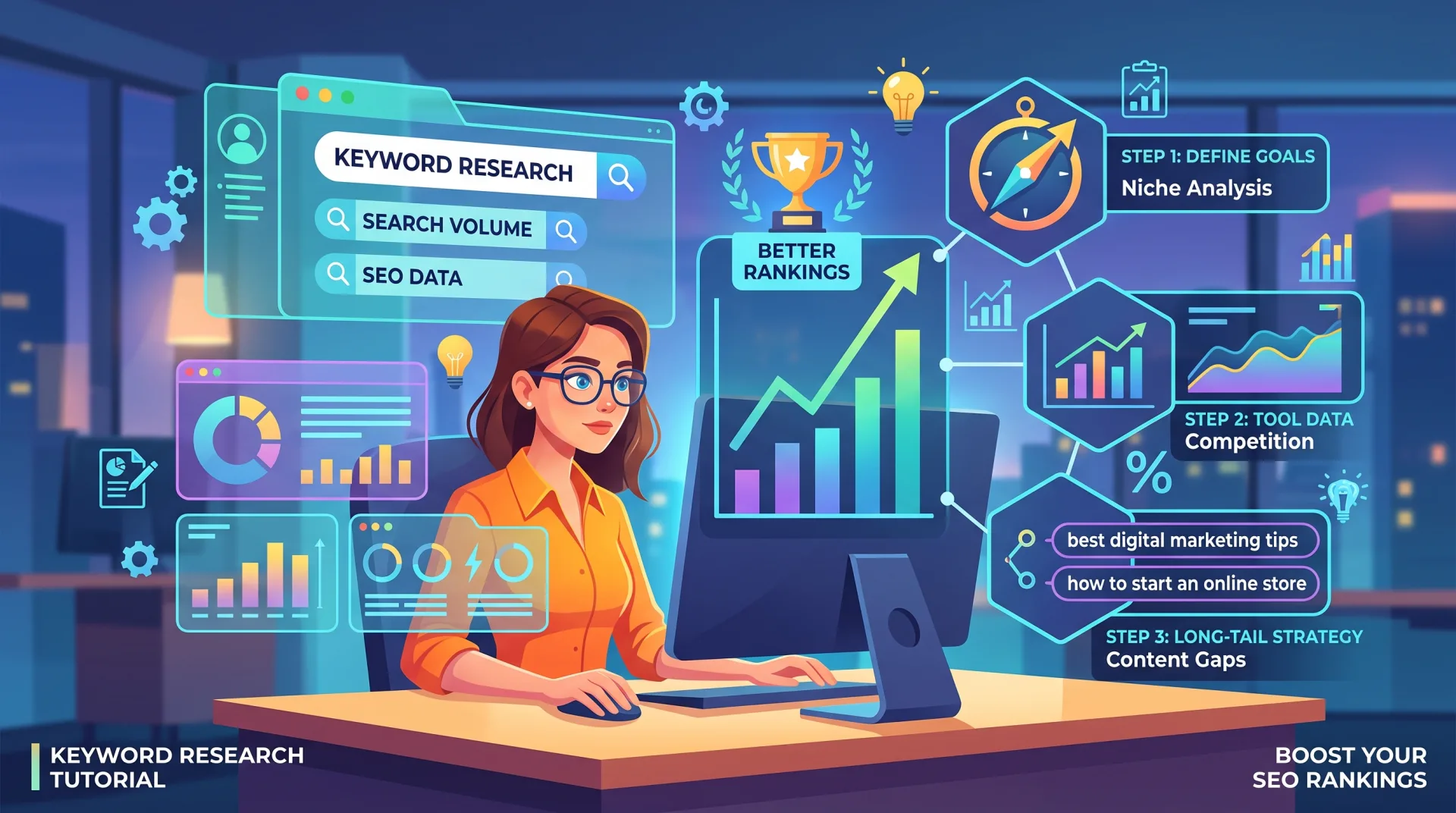
Chapter 4: Category 3: Technical Crawling, Site Architecture & Core Web Vitals
You can write the most brilliant, comprehensive piece of content on the internet, but if search engine bots encounter server timeouts, redirect loops, or broken internal links, your content will never rank. Technical SEO is the foundation upon which all content and authority rests. Fortunately, two of the greatest technical diagnostic tools in software history are completely free.
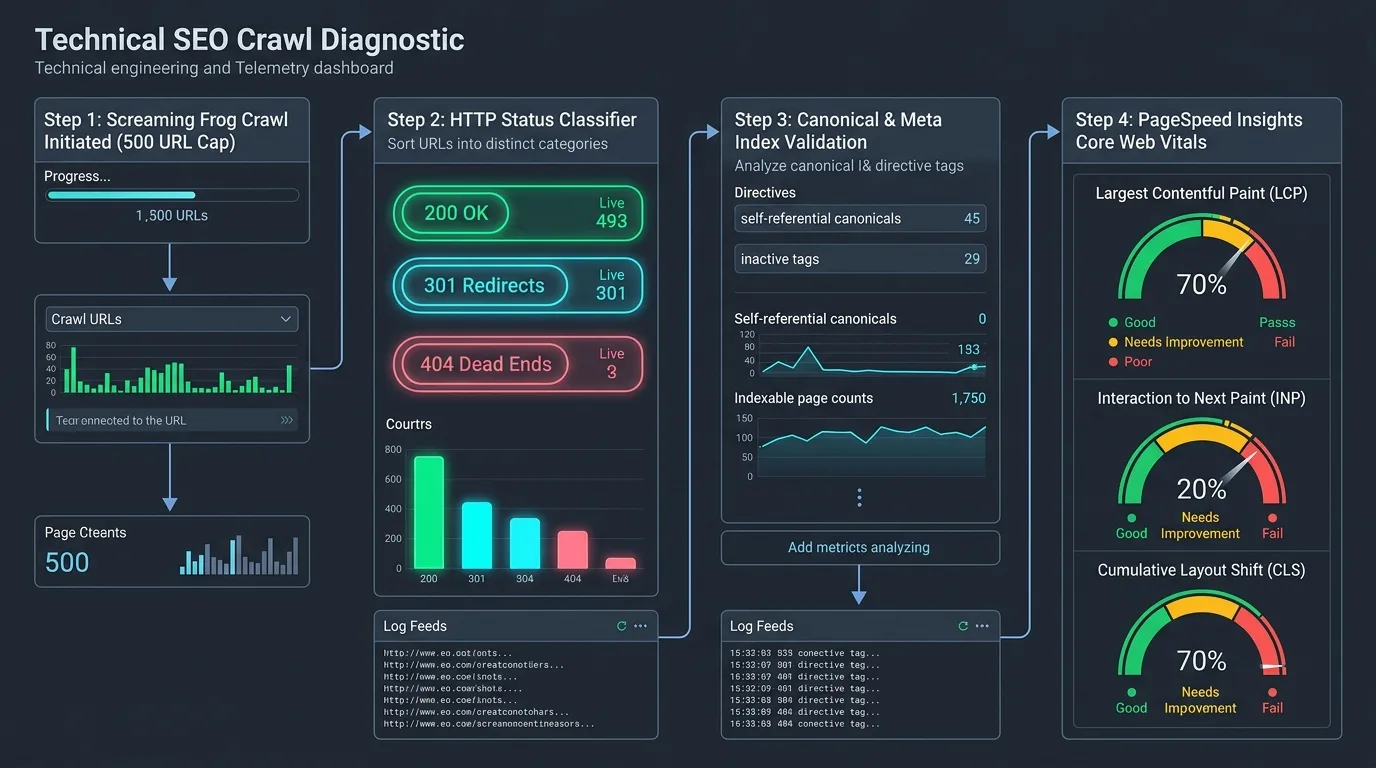
8. Screaming Frog SEO Spider (Free Edition): The Industry-Standard Desktop Crawler
Screaming Frog SEO Spider is the undisputed gold standard for technical search engine simulation. Unlike cloud crawlers that charge hundreds of dollars per month, Screaming Frog runs locally on your desktop (Windows, macOS, Linux), downloading web pages, executing JavaScript, and auditing site architecture exactly like Googlebot.
The Free Edition allows you to crawl up to 500 URLs per session—which is more than enough for 90% of beginner websites, personal blogs, local business portals, and early-stage SaaS platforms. In a single 3-minute crawl, Screaming Frog audits:
- HTTP Response Codes: Instantly flags 404 broken links, 500 server errors, 302 temporary redirects, and multi-hop 301 redirect chains that drain crawl budget.
- Metadata Deficiencies: Identifies missing, duplicated, or excessively long
<title>tags and<meta description>tags across your entire site. - Directives & Canonical Integrity: Uncovers pages mistakenly blocked by
noindexrobots tags, broken canonical links, or directives conflicting withrobots.txtrules. - Image Optimization Audits: Lists all images exceeding 100KB in file size, alongside images missing descriptive
altattributes. - Heading Structure Review: Flags pages with missing
<h1>tags, multiple conflicting H1 tags, or broken heading hierarchies.
Because Screaming Frog is a desktop software, by default it stores crawl data in RAM. If you are running an 8GB or 16GB RAM laptop, ensure you navigate to File → Settings → Storage Mode and select "Database Storage Mode" rather than RAM. This writes crawl data directly to your local SSD, preventing computer slowdowns or application crashes during deep crawls.
9. Google PageSpeed Insights & Chrome Lighthouse: Mastering Core Web Vitals
Page load speed and visual responsiveness are confirmed Google ranking factors. Google evaluates real-world user experience through its Core Web Vitals (CWV) framework. A website that lags, freezes, or shifts content unexpectedly while loading will be severely devalued in mobile search results.
PageSpeed Insights (PSI)—powered by Chrome Lighthouse and the Chrome User Experience Report (CrUX)—provides dual-layer performance diagnostics:
- Field Data (CrUX Telemetry): Real-world 28-day rolling performance metrics collected from millions of actual Chrome browser users visiting your site under real network conditions.
- Lab Data (Lighthouse Simulation): Instant synthetic performance testing under throttled mobile CPU and 4G network environments, providing diagnostic waterfall charts.
Beginners must audit and optimize for the three primary 2026 Core Web Vitals thresholds:
- Largest Contentful Paint (LCP): Must render the primary viewport element within 2.5 seconds. Optimize by compressing hero images to WebP/AVIF format and using proper server caching.
- Interaction to Next Paint (INP): Must achieve interactive latency under 200 milliseconds. Optimize by minimizing main-thread JavaScript blocking. (See our dedicated Core Web Vitals playbook for 2026 for complete INP remediation code).
- Cumulative Layout Shift (CLS): Must maintain visual layout shift under 0.1. Optimize by explicitly declaring width and height dimensions on all images and ad containers.
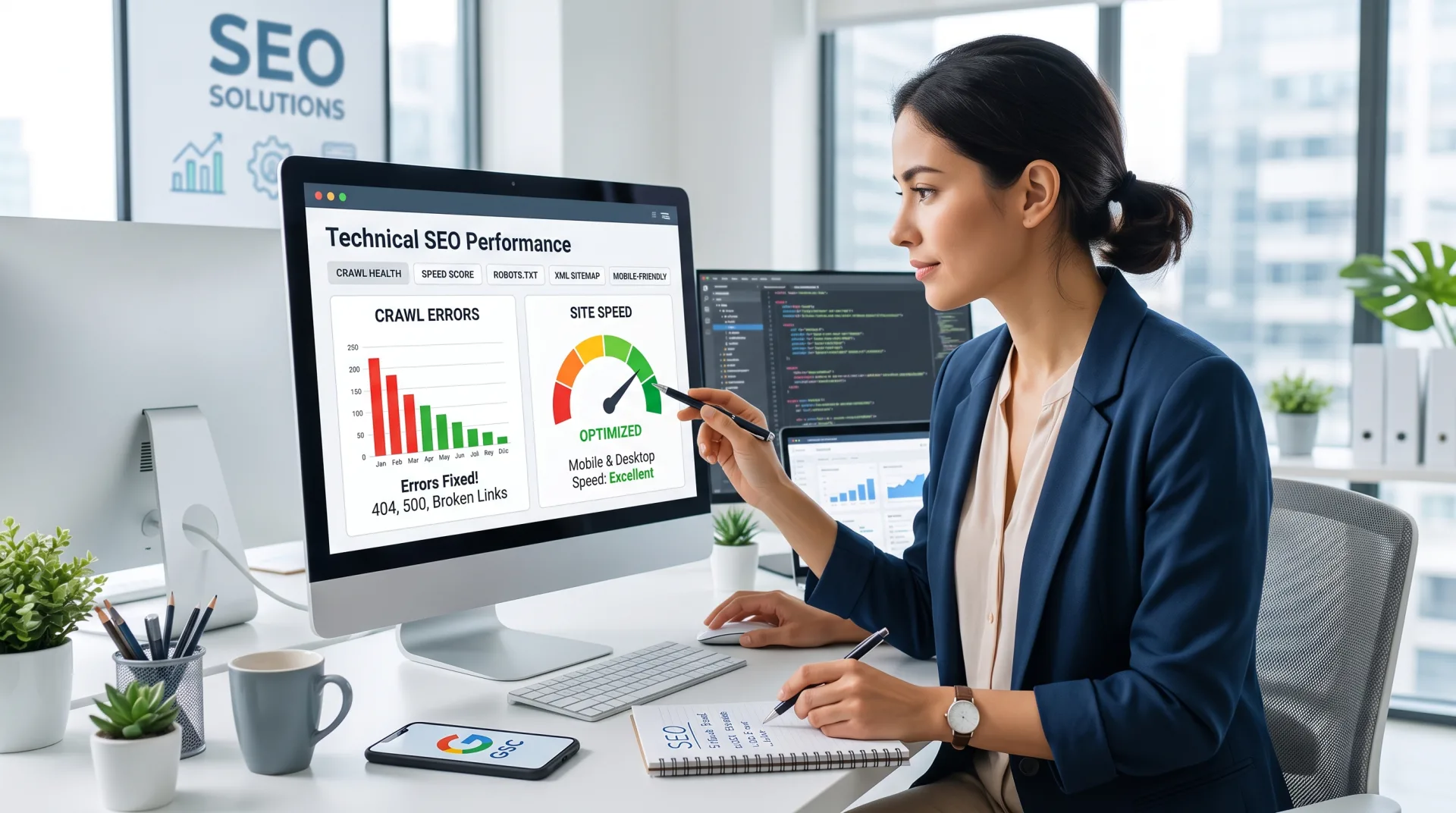
Chapter 5: Category 4: Backlinks, Domain Authority & Competitive Intelligence
Backlinks remain one of the top three core ranking pillars in Google's ranking algorithms. In search engine architecture, a high-quality editorial backlink from an established, relevant website acts as an algorithmic vote of confidence. Monitoring who links to your domain—and uncovering where your competitors earn their authority—is essential for sustained growth.
10. Ahrefs Webmaster Tools (AWT): Enterprise-Grade Backlink Telemetry for Free
Ahrefs maintains one of the most powerful web crawlers on earth, indexed second only to Googlebot. While standard Ahrefs subscriptions start at $99/month, they launched Ahrefs Webmaster Tools (AWT) as a 100% free offering for website owners who verify domain ownership via Google Search Console or DNS records.
AWT gives beginners free access to two enterprise tools:
- Site Explorer (Full Backlink Profile): View every single external backlink pointing to your website, categorized by Domain Rating (DR), URL Rating (UR), referring domains, anchor text distribution, and link attributes (dofollow vs. nofollow/ugc). It alerts you whenever you gain or lose valuable backlinks.
- Site Audit (Up to 5,000 URLs/Month): A cloud-based crawler that continuously scans your website, reporting on 140+ technical SEO issues, performance warnings, missing tags, and HTML code bloat.
- Internal Link Opportunities Explorer: One of AWT's most brilliant features. It analyzes your indexed content and automatically identifies pages on your site that mention relevant keywords but currently lack internal links pointing to your target target pillar assets.
In AWT, navigate to Pages → Best by Links and filter for HTTP 404 response codes. This immediately uncovers external websites that are linking to old, deleted URLs on your domain. Setting up simple 301 redirects from those dead URLs to your relevant new articles instantly recovers 100% of that lost backlink equity without sending a single cold outreach email!
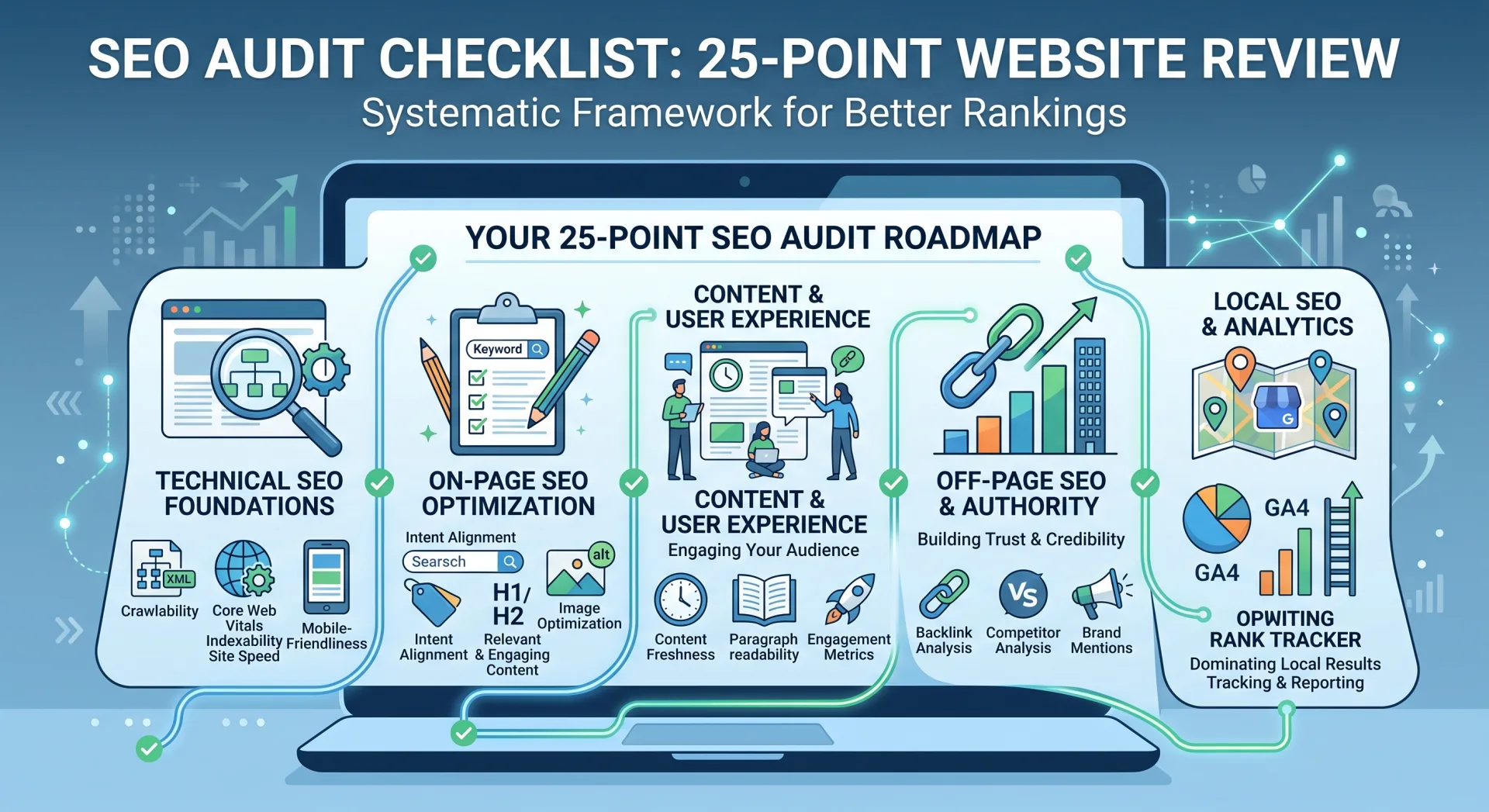
Chapter 6: Category 5: On-Page Architecture, Structured Data & Extension Tooling
Once technical health is sound and keywords are mapped, success comes down to on-page execution: optimizing title tags, organizing logical heading hierarchies, and embedding machine-readable structured data so AI search engines can parse your content effortlessly.
11. TechnicalSEO Schema Markup Generator (by Merkle): Rich Results & AI Search Readiness
In 2026, structured data (Schema markup) formatted in JSON-LD is no longer optional. As outlined in our complete guide to schema markup for rich snippets and higher CTR, structured data provides search engine neural networks with explicit, unambiguous semantic context about your entities, authors, organizations, and products.
The TechnicalSEO Schema Markup Generator (developed by Merkle) is a free web utility that eliminates the risk of syntax errors. Instead of writing complex JavaScript code by hand, beginners select their desired schema type from a simple visual dropdown:
- Article / BlogPosting: Declares author credentials, publisher identity, headline, and publication date for E-E-A-T verification.
- FAQPage: Formats frequently asked questions to qualify for interactive accordion snippets directly on Google SERPs.
- Product & Review: Formats pricing, stock availability, aggregate star ratings, and review snippets for e-commerce.
- LocalBusiness: Formats physical address, geo-coordinates, business hours, and phone numbers for local search dominance.
- BreadcrumbList: Displays clean, hierarchical navigation trails in search snippets instead of ugly raw URLs.
The tool automatically compiles clean, minified, valid JSON-LD code in real time, ready to be pasted directly into your page's <head> section or injected via Google Tag Manager.
12. Detailed SEO Extension: Real-Time On-Page DOM X-Ray
Manual inspection of page source code is tedious and error-prone. Detailed SEO Extension is a lightweight, 100% free browser extension (available for Chrome, Firefox, and Edge) that acts as an instant X-ray for any webpage on the internet.
With a single click while browsing your own website or analyzing a top-ranking competitor, Detailed SEO provides six organized tabs:
- Overview Tab: Displays title tag character and pixel length, meta description length, canonical URL, URL structure, and word count.
- Headings Tab: Renders a complete visual tree of all headings on the page in chronological order (H1, H2, H3, H4, H5, H6). It instantly highlights structural errors, such as multiple H1 tags or jumped hierarchy levels (e.g., an H4 placed directly under an H1).
- Schema Tab: Detects and validates all JSON-LD, Microdata, and RDFa structured data embedded on the page.
- Links Tab: Counts total internal vs. external links, exposing nofollow and sponsored attributes.
- Images Tab: Scans every image on the page, highlighting images missing
alttags and images lacking width/height declarations.
Chapter 7: The 30-Day Zero-Dollar SEO Workflow: A Step-by-Step Blueprint
Having a toolkit is useless without a structured execution protocol. Below is our battle-tested 30-Day Zero-Dollar SEO Implementation Blueprint designed specifically for beginners launching a new site or revitalizing an underperforming domain using only the 12 free tools detailed above:
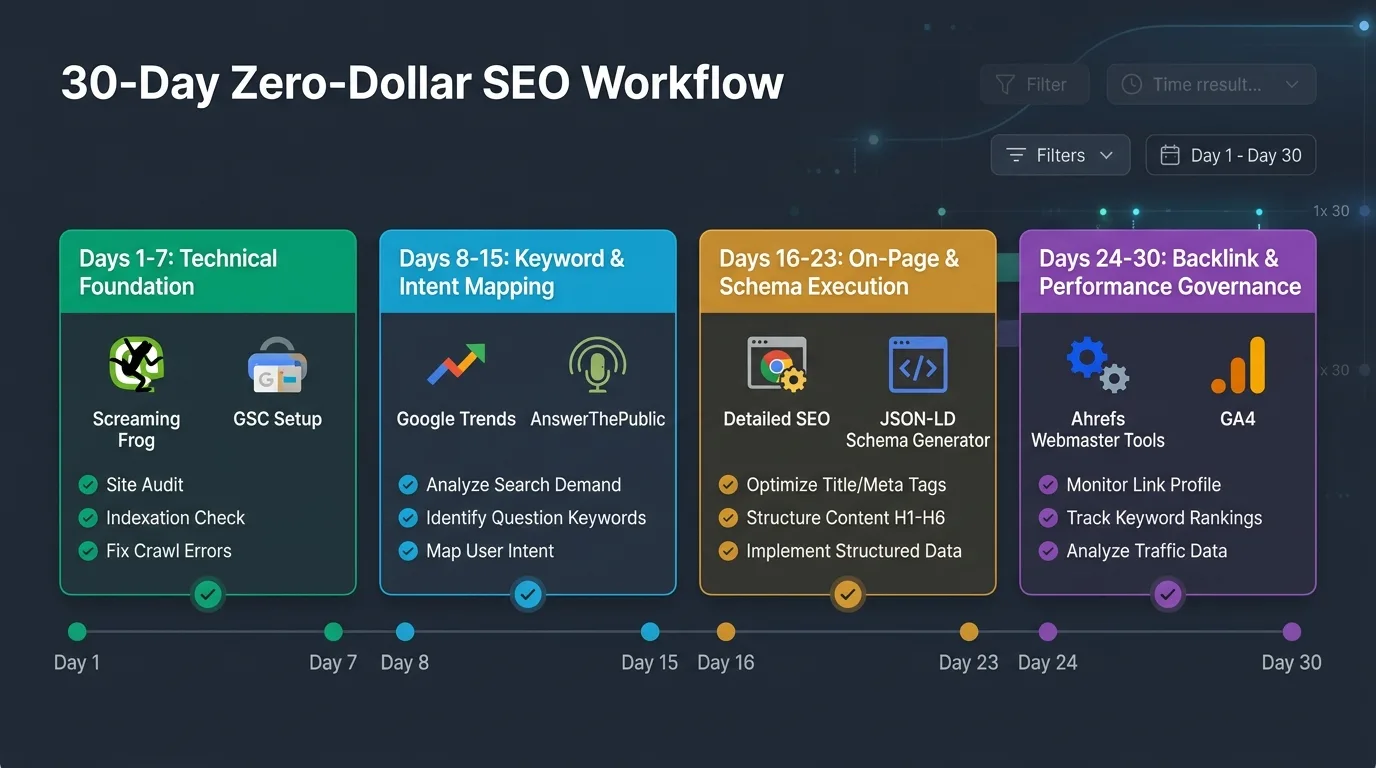
| Phase & Timeline | Tools Deployed | Primary Technical Objective | Deliverables / Milestone |
|---|---|---|---|
| Phase 1: Days 1–7 Technical Audit & Baseline |
GSC, BWT, Screaming Frog, PageSpeed Insights | Verify domain ownership, submit XML sitemaps, eliminate crawl errors, and profile Core Web Vitals. | Zero 404 errors, valid robots.txt, sub-2.5s LCP, and IndexNow activated. |
| Phase 2: Days 8–15 Keyword Intent & Content Mapping |
Semrush Free, Google Trends, AnswerThePublic, Keyword Surfer | Conduct competitor gap analysis, identify low-competition keywords (KD < 25%), and cluster semantic intent. | Pillar Content Architecture spreadsheet with 10 mapped topic clusters and FAQ questions. |
| Phase 3: Days 16–23 On-Page Architecture & Schema |
Detailed SEO Extension, TechnicalSEO Schema Gen | Execute on-page optimization, audit heading hierarchy (H1–H3), and inject valid JSON-LD schema markup. | Published content assets with rich snippets enabled and 100% valid Schema.org validation. |
| Phase 4: Days 24–30 Authority & Analytics Governance |
Ahrefs Webmaster Tools, GA4 | Set up conversion event tracking in GA4, audit incoming backlinks, and execute internal link reclamation. | Looker Studio unified GSC+GA4 dashboard and zero broken internal link pathways. |
Chapter 8: When Should You Actually Upgrade to Paid Tools?
While the 12 free tools featured in this guide can comfortably take a website from zero to 100,000 monthly organic visitors, there comes a point in enterprise business maturity where paying for software becomes economically justifiable. Understanding this threshold prevents premature cash burn while avoiding operational bottlenecks.
Consider upgrading to paid software only when you cross one of the following four thresholds:
- Your Site Exceeds 1,000 URLs: When your product catalog, blog, or programmatic database outgrows Screaming Frog's 500-URL free crawl limit, purchasing a Screaming Frog license ($259/year) is the single highest-ROI software investment you can make.
- You Manage Multiple Team Members or Clients: If you operate an agency or manage a team of in-house writers who need shared access to keyword databases, rank tracking reports, and historical competitor archives, paying for enterprise Semrush or Ahrefs seats saves valuable engineering hours.
- You Require Daily Automated Rank Tracking: Free tools provide average ranking data over rolling windows, but they do not alert you to daily SERP volatility across thousands of localized zip codes.
- Organic Search Generates Predictable Cash Flow: As detailed in our financial analysis of SEO vs. SEM vs. SMM return on investment, once your organic channel generates tens of thousands of dollars in monthly net profit, reinvesting 2% to 4% of that revenue into software automation is sound financial management.
Chapter 9: Frequently Asked Questions (FAQ)
Below are authoritative answers to the ten most pressing questions beginners encounter when building an organic search tech stack in 2026.
Can a beginner realistically rank on Google using only free SEO tools?
Yes, absolutely. Google ranks web pages based on content quality, search intent alignment, technical accessibility, and backlink authority—Google does not know or care what software you used to write or optimize your pages. In fact, tools like Google Search Console and PageSpeed Insights provide more accurate, authoritative data than any third-party paid tool on the market.
Why does Google Search Console show different keyword rankings than paid tools?
Third-party paid tools estimate rankings by scraping search results from specific data center IP addresses at a single moment in time. Google Search Console, however, records actual real-world user impressions across millions of personalized, localized devices. Because Google dynamically personalizes SERPs based on user location, browsing history, and device type, GSC reports an aggregated average position across real human searches, making it the more representative metric.
What is the absolute first tool a beginner should install on a new website?
The very first tool to install is Google Search Console (GSC) via DNS verification. GSC establishes formal site ownership with Google, unlocks the URL inspection tool, facilitates XML sitemap submission, and monitors your site for crawl errors. Installing GSC should be completed before your site goes live to the public.
Is the 500-URL limit in Screaming Frog Free Edition enough for a new site?
For 90% of new websites, personal blogs, portfolios, and local business websites, 500 URLs is more than sufficient. A typical 30-page website with images, tags, and category pages usually consumes between 100 and 350 crawlable URLs. You only need to upgrade to a paid license if you operate a large e-commerce catalog or an enterprise publishing archive.
How can I track keywords for free without paying for a daily rank tracker?
Use the native Performance Report in Google Search Console. Filter by target page URL or query, and track your average position and impression trajectory over 7-day, 28-day, and 3-month windows. To automate this reporting for free, connect GSC to a free Google Looker Studio dashboard to visualize ranking trends over time.
Does Ahrefs Webmaster Tools really give you free backlink data?
Yes. Ahrefs Webmaster Tools (AWT) is 100% free for domains that you own and verify via Google Search Console. It grants full access to your site's backlink profile, referring domains, anchor text ratios, and a monthly 5,000-URL site health crawl. The only restriction is that you cannot inspect competitor domains for free.
What is the difference between Google Search Console and Google Analytics 4?
Think of Google Search Console as measuring pre-click search engine telemetry: impressions, search queries, SERP rankings, and crawler indexation. Think of Google Analytics 4 as measuring post-click user behavior: user engagement, bounce rates, time on page, scroll depth, and revenue conversions. Both are essential and complement each other perfectly.
How does the IndexNow protocol in Bing Webmaster Tools benefit SEO?
Traditional search engines discover new content by periodically crawling sitemaps, which can take days or weeks. IndexNow allows your CMS to instantly ping participating search engines (including Bing, Yandex, and Naver) the exact second a page is created, edited, or removed, triggering near-instantaneous indexing within minutes.
Why is Schema markup critical for beginners in 2026?
As search engines shift toward artificial intelligence and generative summaries (AI Overviews), machines require unambiguous semantic code to understand entity relationships. Schema markup (JSON-LD) explicitly defines your author credentials, articles, FAQs, and products, qualifying your site for high-converting rich snippets and AI search citations.
What is the single biggest trap beginners fall into when using SEO tools?
The biggest trap is "Tool Paralysis"—spending dozens of hours tweaking settings, obsessing over proprietary software scores, and buying complex plugins instead of writing authoritative content, solving real user problems, and building genuine relationships that earn editorial backlinks. Tools provide diagnostic telemetry; your execution creates rankings.
Conclusion: The Ultimate Zero-Dollar SEO Competitive Advantage
Achieving organic search dominance in 2026 is not determined by the size of your software budget. It is determined by the clarity of your strategic vision, the rigor of your technical foundation, and your relentless commitment to publishing high-information-gain content that genuinely satisfies user search intent.
The 12 free tools detailed in this playbook provide everything required to achieve top-tier Google rankings:
- Google Search Console & GA4 provide unshakeable first-party performance telemetry.
- Screaming Frog & PageSpeed Insights ensure your technical architecture and Core Web Vitals remain flawless.
- Semrush Free, Google Trends & AnswerThePublic uncover high-converting search intent before your competitors notice.
- Ahrefs Webmaster Tools & Schema Generators defend your backlink equity and structure your content for modern AI engines.
Stop waiting until you have a multi-thousand-dollar marketing budget. Deploy the 30-day workflow, master these 12 free instruments, and begin compounding your organic search equity today.
Ratings & reviews
No reviews yet. Be the first.