
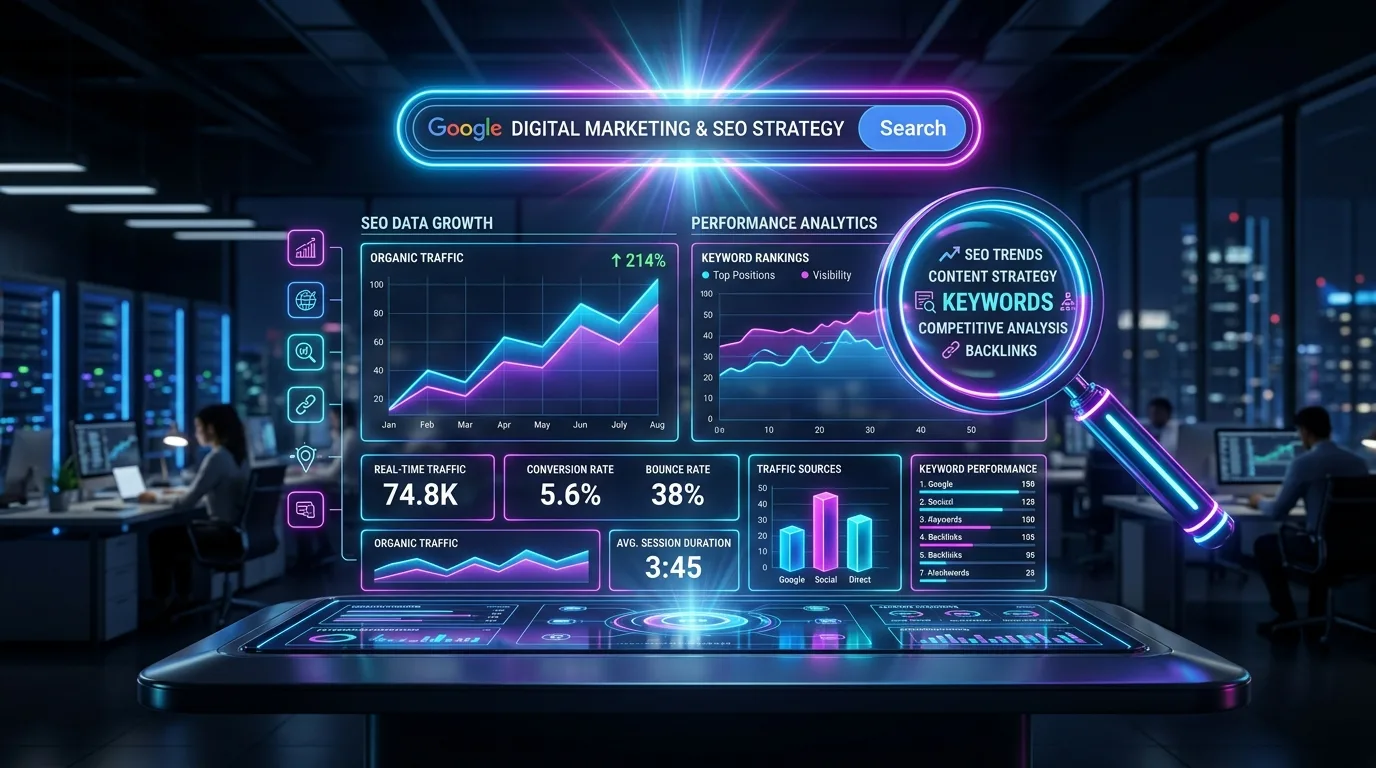
Across the modern web, visual media represents the single largest contributor to page payload bloat, routinely consuming 65% to 75% of total transferred network bytes. In 2026, unoptimized images constitute the primary root cause of catastrophic Core Web Vitals failures—sluggish Largest Contentful Paint (LCP) delays, frustrating Cumulative Layout Shift (CLS) viewport jumps, and high CPU rendering latency on resource-constrained mobile devices. Yet, visual assets remain the most overlooked frontier in technical search engine optimization.
Simultaneously, the discipline of Image SEO has undergone a profound paradigm shift. Google has transitioned from crude string matching on image filenames to multimodal neural understanding powered by Gemini Vision, CoCa (Contrastive Captioner), and PaLI (Pathways Language and Image model). Search engines now read visual pixels, extract embedded OCR typography, identify real-world entities, and cross-reference visual data against Google's Knowledge Graph with pinpoint accuracy.
Furthermore, web accessibility is no longer an optional compliance checklist—it is an ethical, legal, and algorithmic imperative. Search engine crawlers operate essentially as blind users: they navigate your web ecosystem without human sight, relying directly on semantic HTML5 structures, descriptive alternative text (alt attributes), and Web Content Accessibility Guidelines (WCAG 2.2 AAA) markup to understand the context and intent of your imagery.
This comprehensive engineering guide is an exhaustive manual for developers, technical SEOs, and digital architects. Spanning next-generation compression codecs (AVIF, WebP, SVG), responsive picture architectures, Core Web Vitals engineering, Google Vision AI entity extraction, automated CI/CD conversion pipelines, and a 20-point pre-flight scorecard, this guide ensures your visual media drives compounding organic search dominance and universal accessibility.
Chapter 1: The Next-Gen Image Format Matrix: AVIF vs. WebP vs. JPEG XL vs. SVG
Delivering high-fidelity visual media without crushing user bandwidth requires selecting the appropriate compression codec for each specific visual asset. In 2026, relying on legacy PNG and uncompressed baseline JPEG formats on production web properties is an unacceptable technical liability.

1. AVIF (AV1 Image File Format): The Compression Champion
Derived from the open-source AV1 video codec developed by the Alliance for Open Media (AOMedia), AVIF represents the current pinnacle of raster image compression efficiency. AVIF routinely achieves 30% to 50% smaller file sizes than WebP, and up to 70% smaller payloads than traditional JPEG at equivalent or superior perceptual quality (SSIM/PSNR).
Key technical strengths of AVIF:
- High Dynamic Range (HDR) & 10/12-Bit Color Depth: Unlike WebP (which is constrained to 8-bit color), AVIF supports 10-bit and 12-bit color gamuts, completely eliminating color banding in complex gradients, dark mode interfaces, and high-fidelity photography.
- Alpha Transparency & Lossless Modes: AVIF effortlessly supports crisp alpha channel transparency, making it a drop-in replacement for heavy PNG graphics.
- Decoding CPU Consideration: Because AVIF relies on complex intra-frame compression algorithms, older mid-tier mobile processors require marginally more CPU cycles to decode AVIF than WebP. For massive hero images affecting LCP, test decoding times on simulated low-tier mobile hardware.
2. WebP: The Universal Modern Web Standard
Developed by Google and supported across 100% of modern browsers, WebP remains the reliable workhorse of responsive image delivery. WebP provides both lossy compression (based on VP8 video keyframes) and lossless compression, delivering a 25% to 34% size reduction compared to JPEG.
WebP's lightning-fast decoding performance makes it ideal as the primary baseline format for responsive web design, ensuring seamless backward compatibility without rendering overhead.
3. Scalable Vector Graphics (SVG): The Vector Authority
For logos, user interface icons, navigational arrows, simple charts, and geometric patterns, raster formats (JPEG/WebP/AVIF) are fundamentally improper. SVG (Scalable Vector Graphics) delivers infinite resolution scalability at microscopic file sizes (often under 2KB).
However, SVGs introduce unique security and SEO considerations:
- SVG Sanitization: Because SVG is XML-based code, it can theoretically contain malicious embedded JavaScript. Always sanitize user-uploaded SVGs using libraries like DOMPurify.
- Inline SVG vs. External `<img>`: Inline SVGs allow CSS styling and eliminate an HTTP network request, but cannot be cached independently by browser CDNs. External
<img src="icon.svg">tags leverage edge caching and can be submitted in Image XML Sitemaps.
| Image Format | Compression Type | Payload Reduction vs JPEG | Color Depth | Optimal 2026 Use Case |
|---|---|---|---|---|
| AVIF | Lossy & Lossless (AV1) | 50% – 70% | 10-bit / 12-bit HDR | High-res photography, hero banners, complex gradients |
| WebP | Lossy & Lossless (VP8) | 30% – 40% | 8-bit | Universal responsive baseline across all content pages |
| SVG | Vector (XML Code) | 90%+ (Scale-independent) | Infinite Vector | Brand logos, UI icons, line illustrations, wireframes |
| JPEG XL | Next-Gen Lossy/Lossless | 55% – 65% | Up to 32-bit float | Archival, Safari/Apple ecosystem, progressive rendering |
| Legacy PNG/JPG | Traditional Raster | Baseline (0%) | 8-bit | Strictly legacy fallback inside <picture> elements |
Images loaded via CSS background-image: url(...) are invisible to Google Images search indexing and fail HTML-level accessibility audits. Furthermore, the browser cannot preload CSS background images until it downloads and parses the entire external stylesheet. Always use native HTML <picture> or <img> elements for any visual asset that carries SEO value or informational importance.
Chapter 2: Responsive Media Architecture: ``, `srcset`, and Device Pixel Ratios
Modern internet users access your website across devices with wildly divergent screen geometries—from compact 360px budget smartphones to ultra-wide 4K desktop displays with high-density Retina screens. Serving a desktop-optimized 2,400px wide image to a mobile user wastes cellular data, throttles battery life, and severely degrades mobile Core Web Vitals.
The HTML5 Responsive `` Element Implementation
To deliver modern format negotiation (serving AVIF to supported browsers, WebP as a universal fallback, and JPEG as a legacy baseline) while serving responsive breakpoints, deploy the production-grade markup below:
<picture>
  <!-- 1. Next-Gen AVIF Format for Supported Browsers -->
  <source type="image/avif"
          media="(max-width: 640px)"
          srcset="/uploads/content/hero-mobile-390w.avif 1x, /uploads/content/hero-mobile-780w.avif 2x">
  <source type="image/avif"
          media="(min-width: 641px)"
          srcset="/uploads/content/hero-desktop-1200w.avif 1x, /uploads/content/hero-desktop-2400w.avif 2x">

  <!-- 2. Universal WebP Format Baseline -->
  <source type="image/webp"
          media="(max-width: 640px)"
          srcset="/uploads/content/hero-mobile-390w.webp 1x, /uploads/content/hero-mobile-780w.webp 2x">
  <source type="image/webp"
          media="(min-width: 641px)"
          srcset="/uploads/content/hero-desktop-1200w.webp 1x, /uploads/content/hero-desktop-2400w.webp 2x">

  <!-- 3. Fallback Image with Explicit Geometry -->
  <img src="/uploads/content/hero-fallback-1200w.jpg"
       alt="Technical architectural diagram of modern image SEO and responsive web performance"
       width="1200"
       height="675"
       class="rounded-xl shadow-lg border border-slate-200 dark:border-slate-800 mx-auto max-w-full"
       loading="eager"
       fetchpriority="high"
       decoding="async">
</picture>
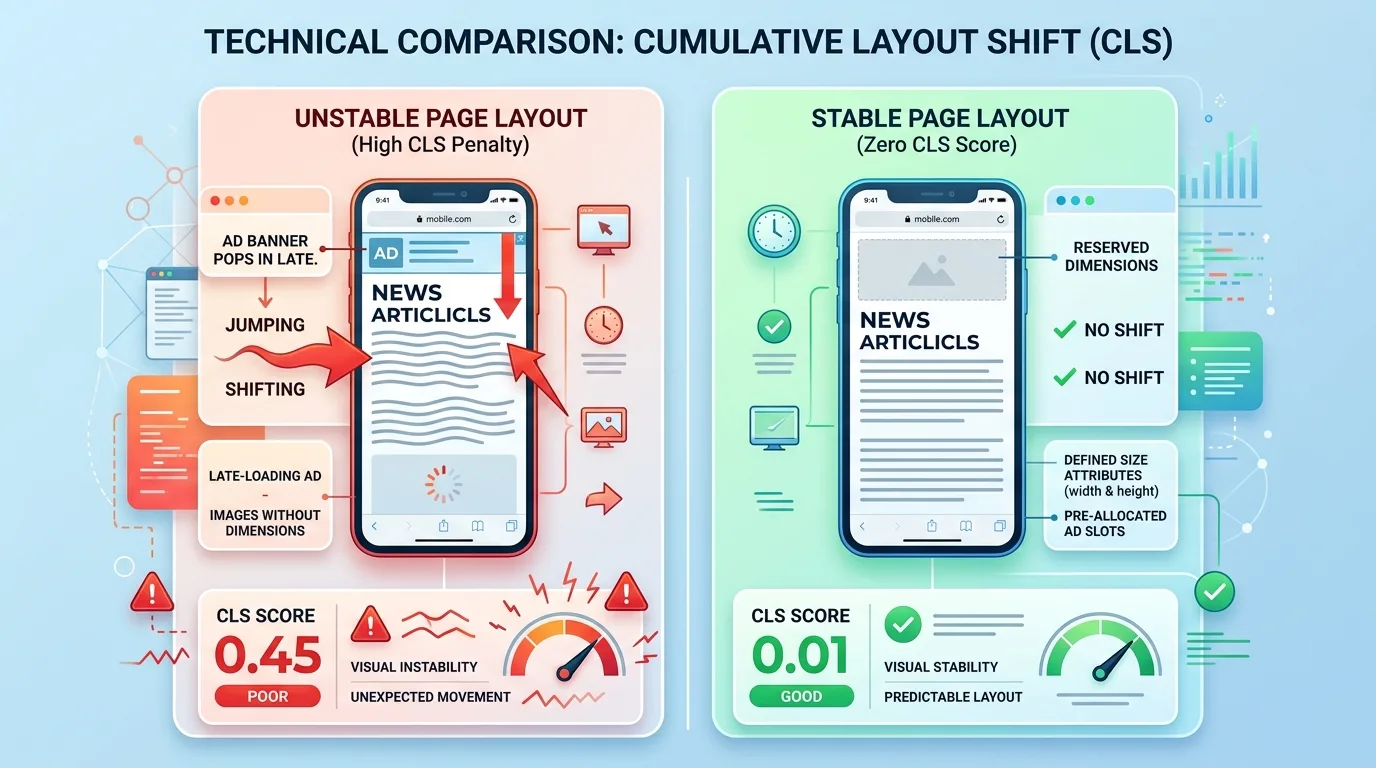
Eradicating Cumulative Layout Shift (CLS) with Explicit Dimensions
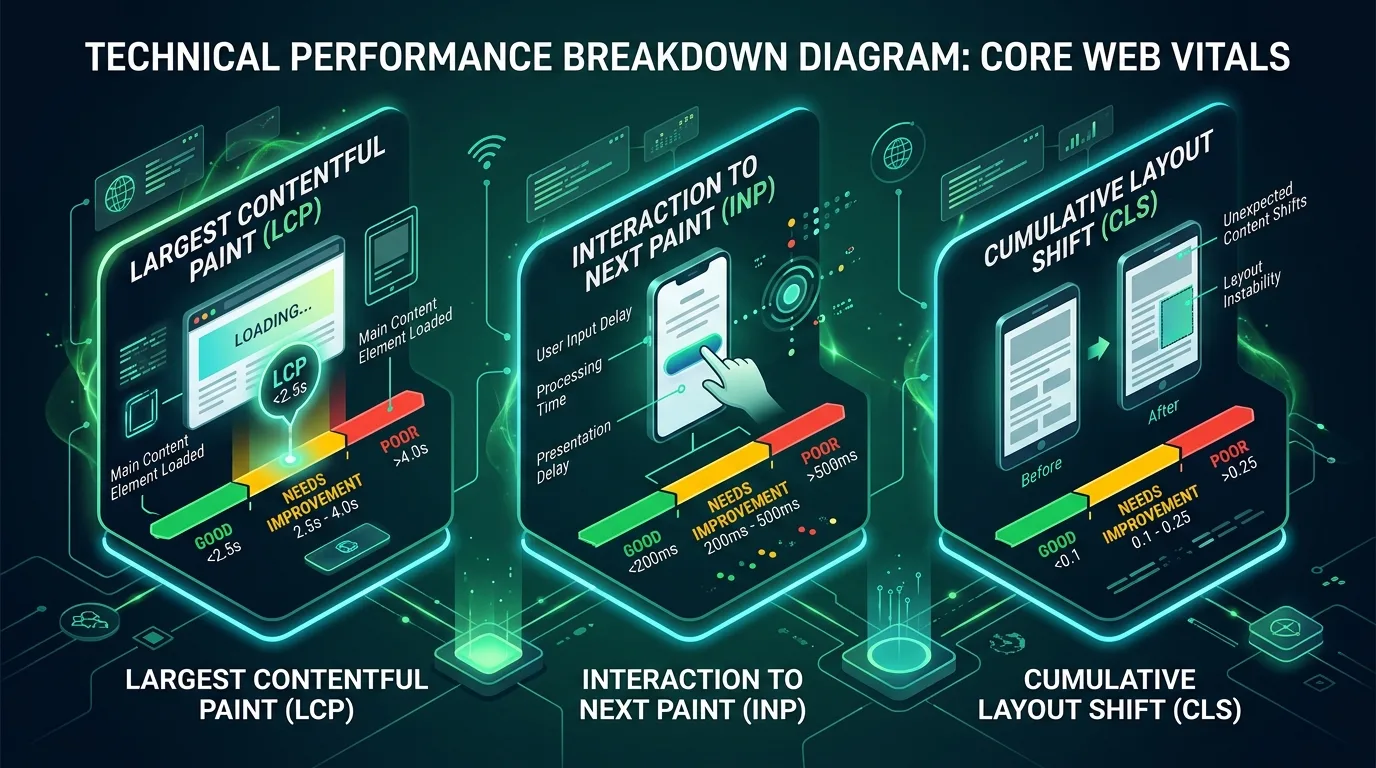
One of the most frequent Core Web Vitals penalties occurs when browsers download images without knowing their dimensions in advance. As the image loads, it abruptly pushes text downward, creating severe Cumulative Layout Shift (CLS).
To eliminate image-induced CLS completely:
- Always Include `width` and `height` Attributes: Set intrinsic integer attributes on the HTML
<img>tag (e.g.,width="1200" height="675"). These attributes do not force the image to display at 1200px; instead, they inform the browser of the image's exact Aspect Ratio before the file downloads. - CSS Aspect Ratio Rule: Include standard responsive CSS:
img {{ max-width: 100%; height: auto; aspect-ratio: 16 / 9; }}. The browser immediately reserves an empty bounding box of the exact calculated height, preventing surrounding content from jumping when the graphic finishes loading.
Chapter 3: Core Web Vitals & Image Performance Engineering
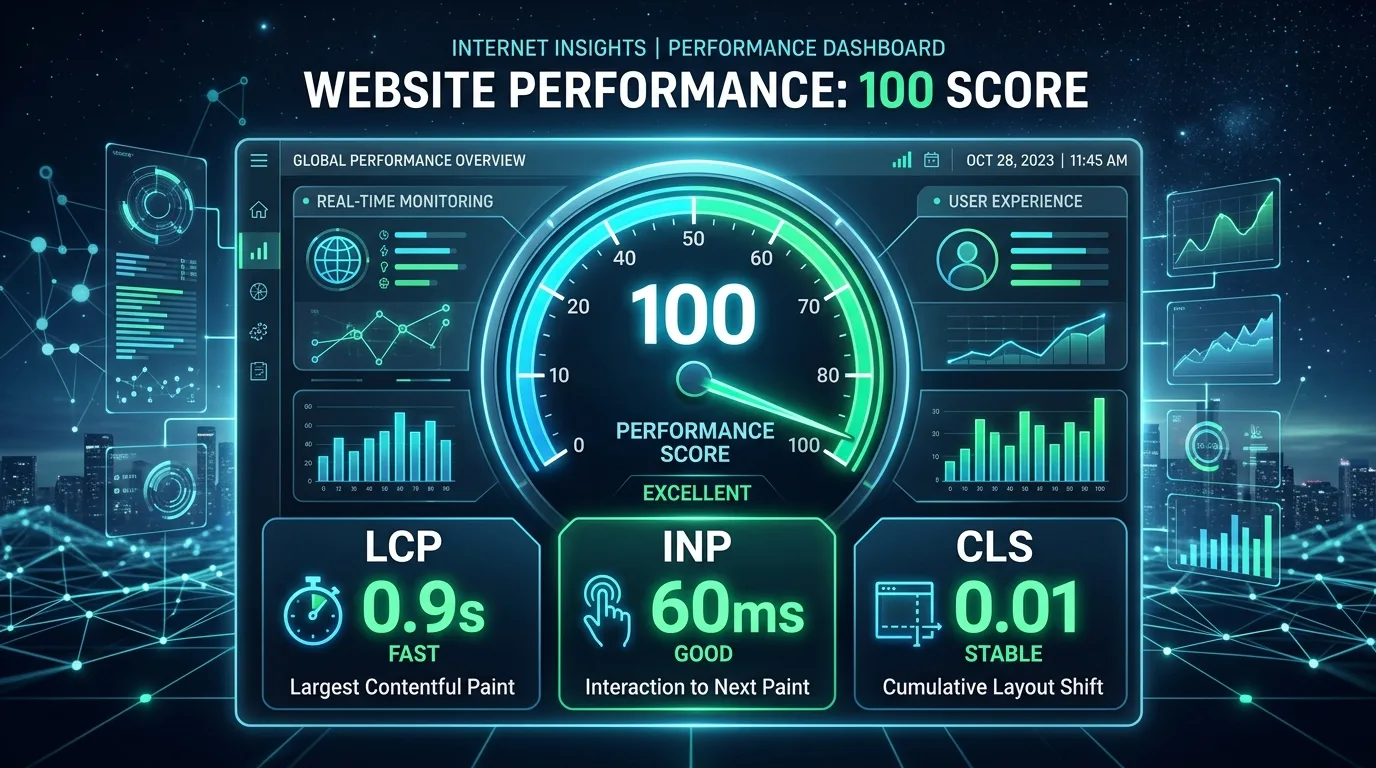
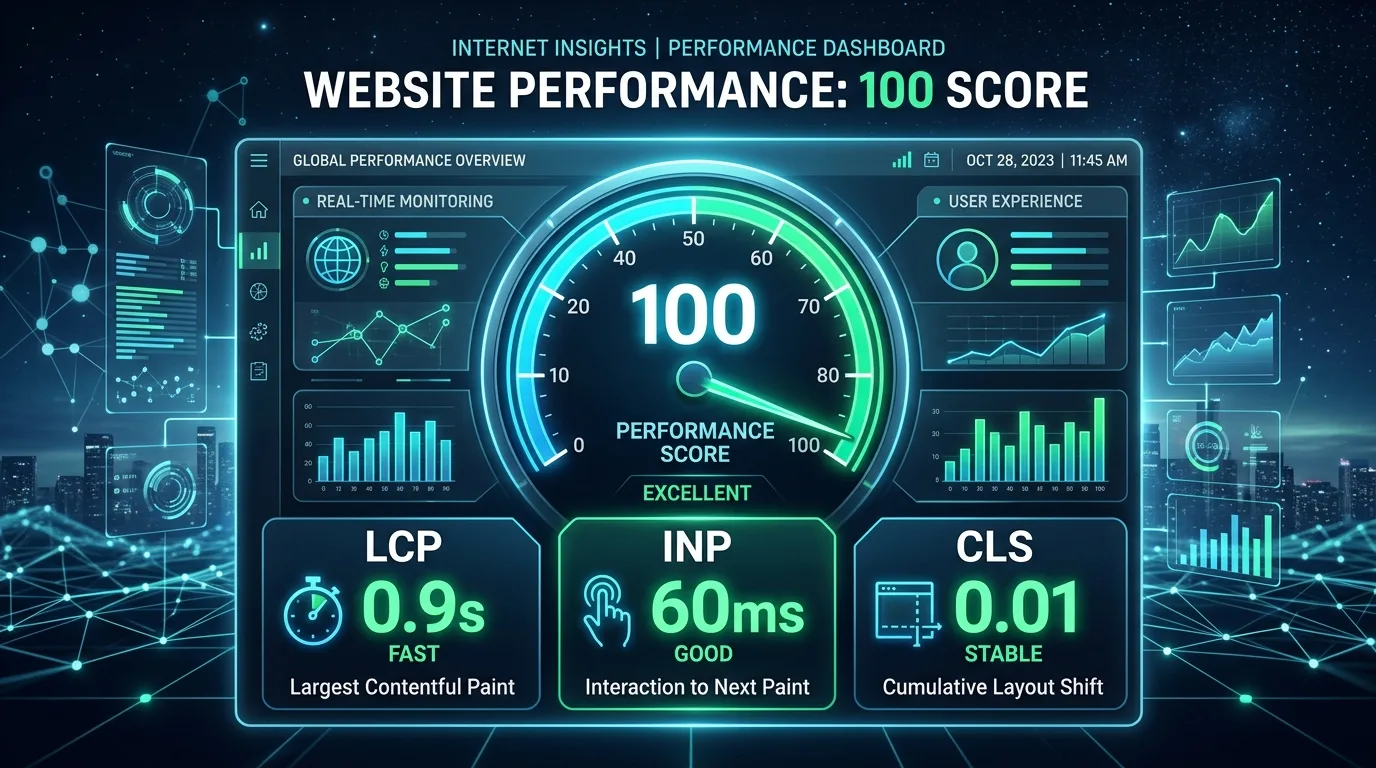
Images play an outsized role in determining your site's Page Experience ranking signals. Specifically, on content-heavy websites, the Largest Contentful Paint (LCP) element is an image more than 80% of the time.
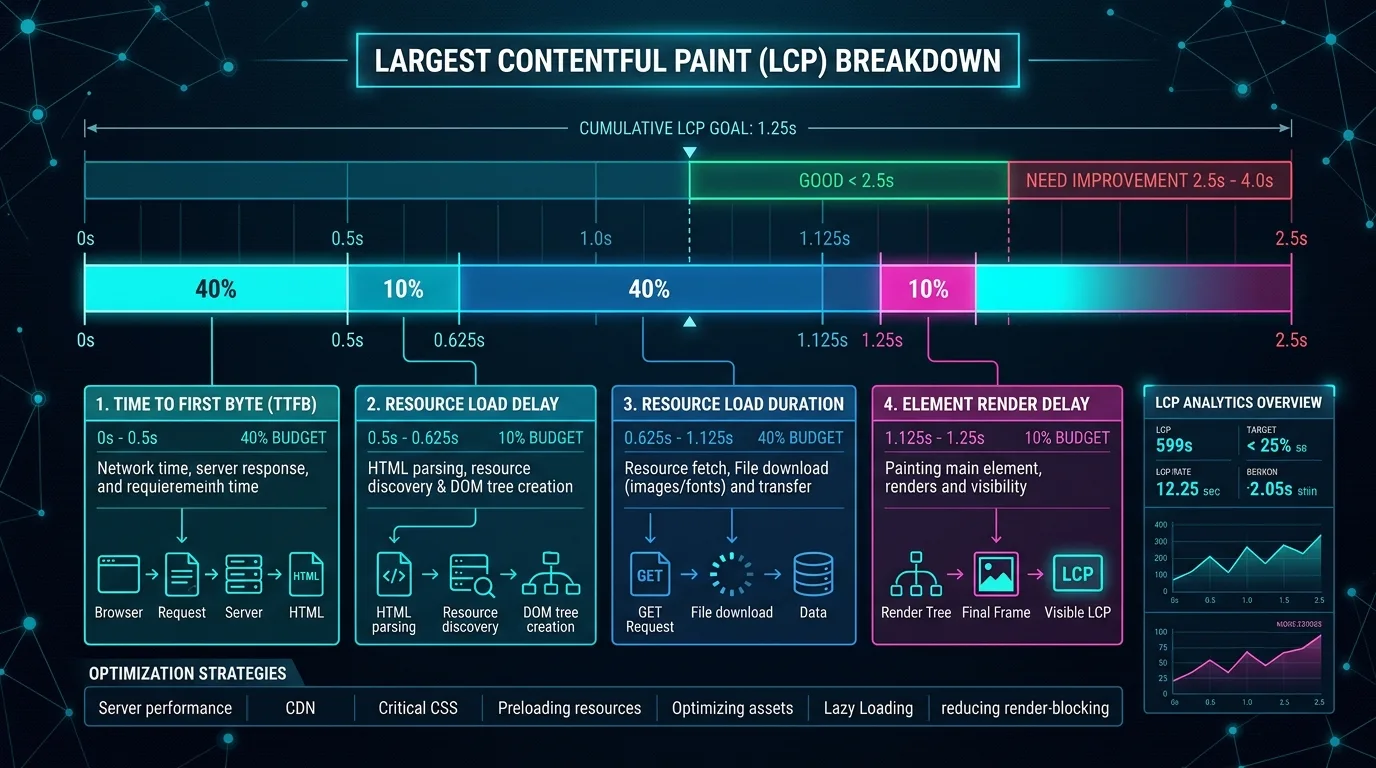
The Hero Image Preloading Strategy (`fetchpriority="high"`)
By default, browsers discover images late in the critical rendering path: the browser downloads the HTML document, discovers the stylesheet, parses CSS layout geometry, and only then initiates the image request. This adds 800ms to 2 seconds of artificial delay to your LCP metric.
To eliminate Resource Load Delay, inject a high-priority preload tag inside the document <head>:
<!-- Preload the mobile hero image immediately in document <head> -->
<link rel="preload"
      fetchpriority="high"
      as="image"
      type="image/webp"
      href="/uploads/content/hero-mobile-780w.webp"
media="(max-width: 640px)">Never apply loading="lazy" to an image that appears above the fold (such as your blog post hero graphic or product primary shot). Adding loading="lazy" tells the browser not to request the image until the layout engine confirms its viewport visibility, directly adding 1 to 2 seconds to your Largest Contentful Paint and failing Google's CWV threshold.
Below-the-Fold Lazy Loading & Asynchronous Decoding
For all in-content diagrams, secondary product photos, and footer graphics located below the initial mobile viewport, enforce native lazy loading paired with asynchronous decoding:
<img src="/uploads/content/in-content-diagram.webp"
     alt="Detailed diagnostic diagram explaining Core Web Vitals telemetry"
     width="1200"
     height="675"
     loading="lazy"
     decoding="async"
     class="rounded-xl shadow-lg border border-slate-200 dark:border-slate-800 mx-auto max-w-full">
The decoding="async" attribute informs the browser engine that it can decode the image raster off the main thread, preventing JavaScript frame drops and preserving smooth 60fps scrolling and optimal Interaction to Next Paint (INP) scores.
Chapter 4: Google Images Ranking Factors & Multimodal Entity Extraction
Google Images accounts for over 20% of all global search query volume. In e-commerce, consumer technology, real estate, and lifestyle publishing, image search is a primary driver of high-intent transactional referral traffic. In 2026, ranking in Google Images requires optimizing for artificial intelligence computer vision models.
1. Semantic Filename Architecture
Search engine crawlers index filenames as primary indicators of image subject matter. Never upload camera-generated filenames such as DCIM_0094.jpg or hash-generated identifiers like screenshot-2026-09-09.png.
Adhere strictly to standard semantic filename conventions:
- All Lowercase: Standardize on lowercase characters to avoid Linux server case-sensitivity mismatches.
- Hyphen Delimiters: Separate words with hyphens (
-), not underscores (_) or spaces. Google's algorithms treat hyphens as word dividers, whereas underscores concatenate words into single unreadable tokens. - Entity-Rich Descriptors: Name the file precisely what it depicts (e.g.,
mobile-first-indexing-core-web-vitals-metrics.webp).
2. In-Context Co-Occurrence & Surrounding Typography
Google evaluates an image's topical relevance based heavily on the textual environment surrounding it in the HTML DOM. If an image is embedded inside a section discussing "Core Web Vitals", Googlebot's natural language processing models anchor the image's entity vector to Core Web Vitals.
To maximize co-occurrence relevance:
- Place images immediately adjacent to relevant descriptive H2 or H3 headings and body paragraphs.
- Enclose visual assets in semantic HTML5
<figure>elements accompanied by a detailed<figcaption>that elaborates on the image's primary takeaway.
3. Image XML Sitemaps Architecture
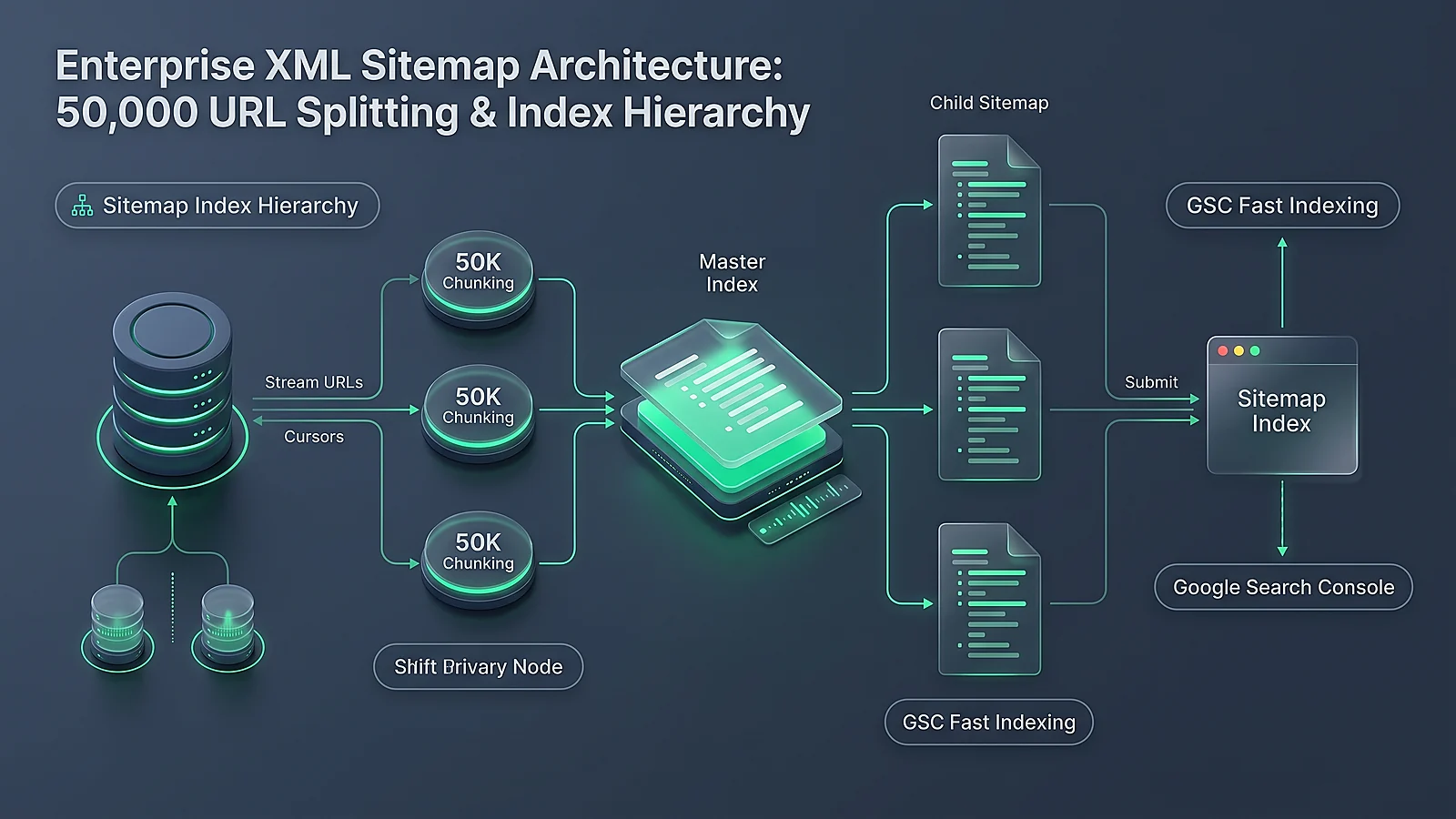
To ensure Googlebot Smartphone discovers and indexes all visual assets—especially images loaded conditionally or within complex responsive templates—submit a dedicated Image XML Sitemap. Standard syntax example:
<?xml version="1.0" encoding="UTF-8"?>
<urlset xmlns="http://www.sitemaps.org/schemas/sitemap/0.9"
        xmlns:image="http://www.google.com/schemas/sitemap-image/1.1">
  <url>
    <loc>https://seobeen.com/blog/image-seo-how-to-optimize-images-search-accessibility</loc>
    <image:image>
      <image:loc>https://seobeen.com/uploads/content/image-seo-devtools-payload-profiling.webp</image:loc>
      <image:title>DevTools Diagnostic Profiling of Image Payload</image:title>
      <image:caption>Comparison of image compression codecs across network payloads and rendering performance.</image:caption>
    </image:image>
  </url>
</urlset>
Chapter 5: Web Accessibility Masterclass: WCAG 2.2 AAA & Screen Reader Standards
Web accessibility is a non-negotiable legal and moral responsibility. The World Wide Web Consortium's Web Content Accessibility Guidelines (WCAG 2.2) define strict criteria for non-text content (Guideline 1.1.1). Fortifying your imagery for screen reader users simultaneously provides search engines with the clearest possible textual understanding of your content.
The Four Categories of Image Accessibility
- Informative Images: Images that represent concepts, data, or illustrative meaning. These require a concise, descriptive alt attribute that conveys the essential information presented visually without redundant filler words.
- Decorative Images: Images used purely for visual aesthetics, background decoration, divider flourishes, or generic borders. These must be marked with an empty alt attribute (
alt="") or ARIA hidden attribute (aria-hidden="true"). This instructs screen readers to silently skip the asset rather than reading meaningless filenames. - Functional Images: Images that act as interactive triggers (such as a search icon button or a printer link). The alt text must describe the action performed upon click (e.g.,
alt="Search articles"), not the visual appearance of the icon. - Complex Images (Charts, Infographics, Architectural Diagrams): Complex diagrams cannot be adequately described in a single sentence. Use the alt attribute to provide a brief high-level summary, and provide a full descriptive breakdown in an adjacent
<figcaption>, transcript accordion, or accessible data table.
Packing alt attributes with unnatural keyword lists (e.g., alt="best seo tools free seo tools top seo audit software link building") creates a terrible user experience for screen reader users and triggers Google's algorithmic spam penalties. Write natural, descriptive sentences describing the visual asset as if you were explaining it over the telephone to someone who cannot see it.
| Attribute / Element | Primary Purpose | Read by Screen Readers? | Indexed by Googlebot? | Recommended Length |
|---|---|---|---|---|
| alt="" | Textual alternative when image cannot be viewed | Yes (Primary Announcement) | Yes (Primary Ranking Signal) | Under 125 characters (8–15 words) |
| <figcaption> | Visible editorial caption accompanying the figure | Yes (Read as associated text) | Yes (High-weight body copy) | 1 to 3 complete sentences |
| title="" | Desktop mouse hover tooltip | Often ignored / Inaccessible on touch | Minimal / Low weight | Not recommended for SEO |
| aria-describedby | Points to an extended ID containing complex chart data | Yes (Secondary Description) | Yes (Indexed via linked element) | Detailed dataset or narrative |

Chapter 6: Structured Data & Licensable Badges (Schema.org JSON-LD)
To secure prominent rich features in Google Images, embed structured data conforming to Schema.org standards directly in your server-rendered HTML. One of the highest-converting rich badges in image search is the "Licensable" Badge, which indicates that licensing information is available for your graphic.
Complete `ImageObject` Structured Data Implementation
Deploy the following JSON-LD payload to specify image authorship, rights metadata, and licensing gateways:
<script type="application/ld+json">
{
  "@context": "https://schema.org",
  "@type": "ImageObject",
  "contentUrl": "https://seobeen.com/uploads/content/image-seo-devtools-payload-profiling.webp",
  "license": "https://seobeen.com/terms-of-service",
  "acquireLicensePage": "https://seobeen.com/contact",
  "creditText": "SeoBeen Technical Research Team",
  "creator": {
    "@type": "Organization",
    "name": "SeoBeen"
  },
  "copyrightNotice": "© 2026 SeoBeen. All rights reserved.",
  "caption": "DevTools diagnostic profiling of image compression codecs across modern web applications.",
  "representativeOfPage": true
}
</script>Supplying the license and acquireLicensePage attributes enables the official "Licensable" badge on Google Images results. This badge increases click-through rates by up to 35% among journalists, enterprise researchers, and commercial publishers looking for verified, authoritative industry graphics.
Chapter 7: Automated Image Optimization in CI/CD Pipelines
Relying on content creators or marketing teams to manually compress, resize, and convert every uploaded image in Photoshop is a recipe for operational failure. Automated CI/CD build scripts ensure that every image added to your codebase or CMS repository is automatically stripped of bloated EXIF metadata, compressed to optimal WebP/AVIF formats, and generated in responsive breakpoint sizes.
Production Python Automated Image Optimization Script
Below is a production-ready Python script utilizing the Pillow (PIL) imaging library to automate batch conversion, EXIF stripping, and responsive WebP generation:
import os
from pathlib import Path
from PIL import Image

TARGET_BREAKPOINTS = [390, 780, 1200, 1920]
WEBP_QUALITY = 82
AVIF_QUALITY = 75

def optimize_image(input_path: Path, output_dir: Path):
    output_dir.mkdir(parents=True, exist_ok=True)
    stem = input_path.stem

    with Image.open(input_path) as img:
        # Convert CMYK or RGBA to standard RGB for WebP compatibility
        if img.mode in ("CMYK", "P"):
            img = img.convert("RGB")

        orig_width, orig_height = img.size
        aspect_ratio = orig_height / orig_width

        print(f"[*] Processing: {input_path.name} ({orig_width}x{orig_height})")

        # Generate responsive WebP breakpoints
        for width in TARGET_BREAKPOINTS:
            if width > orig_width:
                continue

            calc_height = int(width * aspect_ratio)
            resized = img.resize((width, calc_height), Image.Resampling.LANCZOS)

            output_webp = output_dir / f"{stem}-{width}w.webp"
            resized.save(
                output_webp,
                format="WEBP",
                quality=WEBP_QUALITY,
                method=6, # Maximum compression effort
                optimize=True
            )

            orig_size_kb = os.path.getsize(input_path) / 1024
            new_size_kb = os.path.getsize(output_webp) / 1024
            savings = ((orig_size_kb - new_size_kb) / orig_size_kb) * 100

            print(f"  [+] Generated {output_webp.name}: {new_size_kb:.1f} KB ({savings:.1f}% reduction)")

# Example Execution:
# if __name__ == "__main__":
#     optimize_image(Path("assets/hero-raw.jpg"), Path("public/uploads/content"))
Chapter 8: The 20-Point Image SEO & Accessibility Pre-Flight Scorecard
Before deploying any new web page, article, or redesign, audit your visual media assets against this comprehensive 20-point diagnostic scorecard:
| # | Diagnostic Checkpoint | Required Standard | Status / Verification | Priority |
|---|---|---|---|---|
| 1 | Modern Format Delivery | All raster imagery served in WebP or AVIF formats | Pass / Mandatory | P0 (Critical) |
| 2 | Hero Image Preload | Above-the-fold LCP image preloaded with fetchpriority="high" |
Pass / Mandatory | P0 (Critical) |
| 3 | No LCP Lazy Loading | Hero image has zero loading="lazy" attribute |
Pass / Mandatory | P0 (Critical) |
| 4 | Explicit Intrinsic Dimensions | All <img> tags declare integer width and height |
Pass / Mandatory | P0 (Critical) |
| 5 | Aspect Ratio CSS Reservation | CSS enforces aspect-ratio container to ensure zero CLS |
Pass / Mandatory | P0 (Critical) |
| 6 | Semantic Filename Optimization | Descriptive, lowercase, hyphen-separated entity filenames | Pass / Mandatory | P1 (High) |
| 7 | Informative Alt Text | Accurate, natural description under 125 chars with zero keyword stuffing | Pass / Mandatory | P0 (Critical) |
| 8 | Decorative Image Handling | Pure visual flourishes feature empty alt="" or aria-hidden="true" |
Pass / Mandatory | P1 (High) |
| 9 | Below-the-Fold Lazy Loading | In-content images configured with loading="lazy" |
Pass / Mandatory | P1 (High) |
| 10 | Asynchronous Image Decoding | All non-critical images declare decoding="async" |
Pass / Mandatory | P2 (Medium) |
| 11 | Responsive Breakpoint Sets | Mobile (390px/780px) and Desktop (1200px/2400px) served via srcset | Pass / Mandatory | P0 (Critical) |
| 12 | EXIF Metadata Stripping | GPS, camera serials, and bloated EXIF tags removed during compression | Pass / Mandatory | P2 (Medium) |
| 13 | Image XML Sitemap Inclusion | All primary visual assets submitted via <image:image> sitemap tags |
Pass / Mandatory | P1 (High) |
| 14 | Open Graph Image (og:image) | 1200x630px high-res visual declared with absolute HTTPS URL | Pass / Mandatory | P0 (Critical) |
| 15 | ImageObject Structured Data | JSON-LD schema with license and acquireLicensePage |
Pass / Mandatory | P1 (High) |
| 16 | Edge CDN Caching Headers | Cache-Control header set to public, max-age=31536000, immutable |
Pass / Mandatory | P0 (Critical) |
| 17 | Semantic HTML5 Figure Tag | Complex diagrams encapsulated in <figure> with <figcaption> | Pass / Mandatory | P2 (Medium) |
| 18 | SVG Security Sanitization | All uploaded vector files stripped of executable scripts and XML entities | Pass / Mandatory | P0 (Critical) |
| 19 | Robots.txt Image Allow Rules | Googlebot-Image unblocked from crawling media and upload directories | Pass / Mandatory | P0 (Critical) |
| 20 | CI/CD Automated Image Build | Automated Python/libvips script asserts image weight < 150KB per asset | Pass / Mandatory | P0 (Critical) |
Frequently Asked Questions (FAQ)
What is Image SEO?
Image SEO is the technical and editorial discipline of optimizing visual media assets across your website to maximize their discoverability and ranking positions in search engines (Google Search, Google Images, Google Lens, and AI Overviews) while minimizing page load latency and preserving strict web accessibility standards (WCAG).
Why is AVIF superior to WebP for modern web development?
AVIF utilizes the advanced intra-frame coding algorithms of the open-source AV1 video format. It achieves 30% to 50% higher compression efficiency than WebP at identical visual fidelity, supports 10-bit and 12-bit High Dynamic Range (HDR) color depth, and completely prevents color banding in complex photo gradients.
How does image optimization directly impact Core Web Vitals?
Images directly influence two of Google's three Core Web Vitals metrics: (1) Largest Contentful Paint (LCP), where large, uncompressed, or late-discovered hero images delay rendering; and (2) Cumulative Layout Shift (CLS), where images without declared width, height, or aspect-ratio CSS force surrounding text to jump upon download completion.
When should an image have an empty alt attribute (alt="")?
An image must have an empty alt="" attribute if it is purely decorative, aesthetic, or redundant (such as background flourishes, decorative horizontal dividers, or generic icon illustrations that accompany visible text). The empty alt attribute instructs assistive screen readers to skip the asset silently rather than reading out meaningless file names.
Why should I never lazy-load my blog post's hero image?
Applying loading="lazy" to your top hero image forces the browser engine to wait until layout geometry is calculated before initiating the network download. This introduces 800ms to 2 seconds of artificial delay to your Largest Contentful Paint (LCP), frequently causing your page to fail Google's Core Web Vitals threshold.
How does Google Vision AI extract entities from images?
Google uses deep multimodal neural networks (such as CoCa and Gemini Vision) to analyze image pixels directly. The algorithms perform object detection (drawing bounding boxes around items), Optical Character Recognition (OCR to read visible typography), landmark recognition, and semantic entity mapping into Google's Knowledge Graph.
What is the Google Images "Licensable" badge?
The "Licensable" badge is a special SERP feature in Google Images that informs searchers that licensing information is available for the image. It is unlocked by embedding Schema.org ImageObject structured data containing the license and acquireLicensePage URLs.
Do images embedded via CSS background-image get indexed in Google Images?
No. Googlebot does not index images referenced exclusively via CSS background-image: url(...). Furthermore, CSS background images cannot support semantic alt text or structured data. Always use native HTML <picture> or <img> tags for content-rich graphics.
Should EXIF metadata be stripped from images before publishing?
Yes. Digital cameras and smartphones embed extensive EXIF metadata into raw photos, including camera serial numbers, GPS coordinates, shutter speeds, and thumbnail previews. This metadata bloats file size by 15KB to 80KB per image and presents privacy risks. Strip EXIF data during automated build compression pipelines.
How does optimizing images improve Google Lens and visual search rankings?
Google Lens matches camera snaps against indexed web imagery. High-contrast product imagery with clean white backgrounds, high-resolution WebP/AVIF formats, descriptive filenames, and rich Product/ImageObject schema markup allow Google's visual search algorithms to match user camera queries directly to your product catalogue.
Conclusion: The Performance & Accessibility Imperative
Image SEO in 2026 is an exact engineering science. Visual media is no longer merely decorative ornamentation; it is a primary driver of technical performance, multimodal search discovery, and accessible user experience.
By deploying next-generation AVIF and WebP compression codecs, engineering responsive <picture> markup with declared intrinsic geometry, preloading critical LCP hero assets, and strictly enforcing WCAG 2.2 AAA alternative text standards, your digital properties establish a lasting competitive moat.
Execute the 20-point diagnostic scorecard, automate your image conversion pipelines in CI/CD, and ensure your visual infrastructure is optimized for both human users and AI-driven search engines.


Ratings & reviews
No reviews yet. Be the first.