
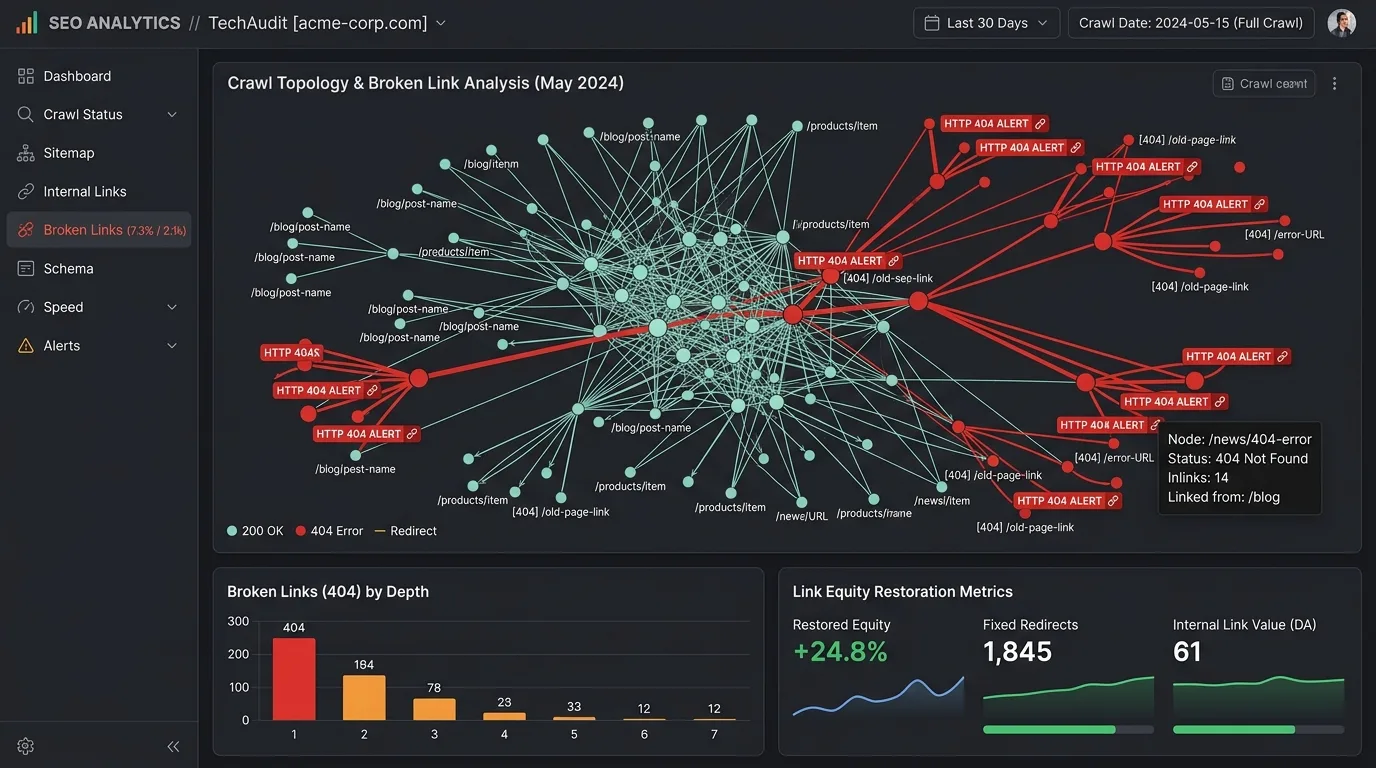
In the landscape of modern technical search engine optimization, few initiatives deliver a more immediate, compounding return on effort than finding and repairing broken links. While algorithmic core updates, content re-optimizations, and backlink acquisition campaigns require months to manifest tangible ranking improvements, eliminating broken links (HTTP 404 dead ends, recursive redirect loops, and orphaned URL nodes) functions as an instant adrenaline shot to your website's crawl efficiency, link equity distribution, and conversion architecture.
Every broken link across your web infrastructure represents an active hemorrhage of hard-earned organic authority. When an internal link returns a 404 status code, the PageRank accumulated by the originating page abruptly terminates, evaporating into a dead end rather than irrigating downstream high-value target assets. When an external domain links to a deleted page on your domain without an authoritative 301 redirection bridge, that backlink's ranking power is effectively nullified in Google's primary index.
Furthermore, broken links waste search engine crawl budgets. In 2026, as Googlebot Smartphone operates under increasingly stringent resource-throttling constraints to conserve rendering server compute, forcing crawlers into 404 clusters directly dampens the discovery and indexing frequency of your newest commercial content. Paired with the devastating user experience penalty of human visitors bouncing off dead pages, unresolved link decay quietly destroys organic search visibility.
This comprehensive engineering guide is an exhaustive diagnostic manual and remediation blueprint. Spanning HTTP status code telemetry, automated crawler diagnostics, PageRank preservation mechanics, enterprise Nginx redirect routing, and high-converting broken link building tactics, this guide empowers developers and SEOs to transform link decay into an immediate, sustainable organic search victory.
Chapter 1: The Anatomy of Link Decay & The HTTP Status Code Matrix
To diagnose and remediate broken links systematically, you must move beyond the superficial assumption that "a broken link is simply a 404 page." In enterprise web architectures, link degradation manifests across a spectrum of HTTP response status codes, caching anomalies, and header misconfigurations.

Deconstructing the Primary Link Response Codes
Search engine crawlers interpret HTTP response headers with strict mathematical logic. Understanding the nuanced distinction between status codes determines whether your remediation passes PageRank or triggers crawler confusion:
- HTTP 404 (Not Found) — Indicates that the requested URI does not currently exist on the server. Googlebot treats 404s as temporary missing states initially: it will retry crawling the URL multiple times over subsequent weeks to verify whether the outage was transient. During this retrial window, crawl budget is repeatedly expended. If left permanently unresolved, the URL drops from the index, and all inbound link equity is wiped out.
- HTTP 410 (Gone) — The explicit, intentional signal that the resource has been intentionally removed and will never return. While Googlebot eventually treats persistent 404s similarly to 410s, serving an explicit 410 Gone header causes Googlebot to expunge the dead URL from its crawl queue and primary index significantly faster, liberating crawl budget instantly.
- HTTP 301 (Moved Permanently) vs. HTTP 302 (Found / Temporary) — A 301 redirect explicitly passes full PageRank equity and canonical signals to the target destination. A 302 temporary redirect tells search engines to keep the originating URL indexed, preventing equity consolidation. When fixing broken links, always deploy 301 permanent redirects.
- The Soft 404 Catastrophe — A "Soft 404" occurs when a server returns a standard
200 OKstatus code, but the webpage content displays an error message (e.g., "Product Not Found", "0 Results Returned", or an empty page template). Search engines recognize this discrepancy algorithmically. Soft 404s are catastrophic because they waste crawl budget, dilute site quality scores under Google's Helpful Content System, and fail to pass link equity. - Recursive Redirect Loops & Chains (301 → 301 → 404) — When an outdated URL redirects to a second URL, which then redirects to a third URL that ultimately returns a 404, search engine crawlers abort after 5 hops. Each redirect hop introduces 100ms to 400ms of latency, severely degrading mobile Largest Contentful Paint (LCP) and dissipating link authority.
A widespread and destructive mistake made by lazy webmasters is creating a wildcard server rule that automatically 301-redirects every 404 error directly to the homepage. Google's John Mueller and official documentation explicitly state that mass-redirecting non-relevant 404 pages to the root homepage is classified as a Soft 404. Googlebot will disregard the redirect, pass zero PageRank equity, and drop the signals entirely.

| Status Code | Technical Meaning | Crawler Interpretation | PageRank Equity Impact | Recommended SEO Action |
|---|---|---|---|---|
| 200 OK | Resource found and delivered cleanly | Fully indexed and crawled normally | 100% Retained & Distributed | Maintain content freshness and monitor |
| 301 Redirect | Resource moved permanently to new URI | Updates index to new target URL | Full Equity Transferred to Target | Update inlinks directly to bypass redirect hop |
| 302 / 307 | Temporary relocation of resource | Retains original URL in index | Equity Withheld at Origin | Change to 301 if permanent move was intended |
| 404 Not Found | Resource does not exist on server | Crawls repeatedly before de-indexing | Complete Evaporation (0% Passed) | 301 redirect to relevant equivalent, or 410 |
| 410 Gone | Resource intentionally deleted forever | De-indexes and halts crawl immediately | Extinguished Cleanly | Serve for deleted expired thin pages |
| Soft 404 | Returns 200 OK header on empty error page | Algorithmically flagged as dead page | Zero Equity + Wastes Crawl Budget | Configure server to return true 404/410 status |
Chapter 2: The Strategic Triad: Internal, Outbound, and Inbound Broken Links
A comprehensive link health audit categorizes broken links into three distinct operational vectors. Each vector impacts your organic search visibility through a fundamentally different algorithmic mechanism.

1. Internal Broken Links: The Silent Crawl Trap & Authority Drain
Internal broken links occur when a page on your domain contains an anchor link pointing to a nonexistent URI on your own domain (e.g., https://example.com/blog/article links to https://example.com/products/old-item). This is the most damaging form of link decay for three critical reasons:
- Internal PageRank Leakage: PageRank flows through hyperlinks like an electrical circuit. When a high-authority pillar page links to an internal 404 page, that link equity is permanently severed. It fails to reach your converting commercial pages, lowering the ranking baseline of your entire website.
- Crawler Bottlenecks & Budget Waste: Googlebot Smartphone discovers URLs primarily by following internal links. Encountering clusters of internal 404s forces the crawler to repeatedly verify dead endpoints, throttling the discovery rate of newly published content. As detailed in our master guide on technical SEO crawl error remediation, clean internal navigation directly accelerates indexing velocity.
- Orphaned Architecture: When intermediate hub or category links break, downstream sub-pages become completely disconnected from navigation menus, creating "orphan pages" that receive zero internal link equity.
2. Outbound Broken Links: E-E-A-T Erosion & Trust Degradation
Outbound broken links occur when your content links to external third-party resources that have expired, moved, or suffered server shutdown. In 2026, Google's Quality Rater Guidelines and automated SpamBrain algorithms scrutinize outbound link integrity as a direct proxy for content maintenance and editorial credibility (Experience, Expertise, Authoritativeness, and Trustworthiness - E-E-A-T):
- Broken Citations Diminish Information Gain: When an in-depth article cites scientific studies, industry benchmarks, or external datasets that lead to 404 dead ends, Google's semantic models perceive the content as abandoned and unverified.
- Risk of Domain Hijacking & Negative SEO: When an external domain you link to expires, domain brokers and black-hat operators frequently purchase the dropped domain to build malicious redirect networks or spam farms. Your website is left linking to adult content, malware, or casino schemes, triggering algorithmic trust demotions.
- User Disillusionment: When users click an external reference and encounter a generic host error, dwell time collapses and bounce rates soar.
3. Inbound Broken Backlinks: The Untapped Reclamation Goldmine
Inbound broken backlinks (external websites linking to URLs on your site that return a 404 status code) represent the single highest-ROI opportunity in technical SEO. Consider the scenario: Forbes, The New York Times, or a high-DA industry blog linked to your website five years ago. Since then, your organization underwent a CMS migration, URL restructuring, or product pruning, and the original target URL was deleted without a redirect.
That high-authority external backlink is currently sending PageRank directly into a digital void. By identifying these 404 referring URLs and deploying a precise 1:1 permanent 301 redirect to an equivalent, live commercial asset, you resurrect 100% of that legacy backlink's PageRank equity overnight without sending a single cold outreach email.
A single enterprise audit regularly uncovers dozens of historical 404 pages harboring hundreds of authoritative external backlinks. Implementing a 1:1 redirect map routinely yields double-digit organic traffic surges within 14 days of crawler re-processing.
Chapter 3: The 2026 Diagnostic Tool Stack for Broken Link Detection
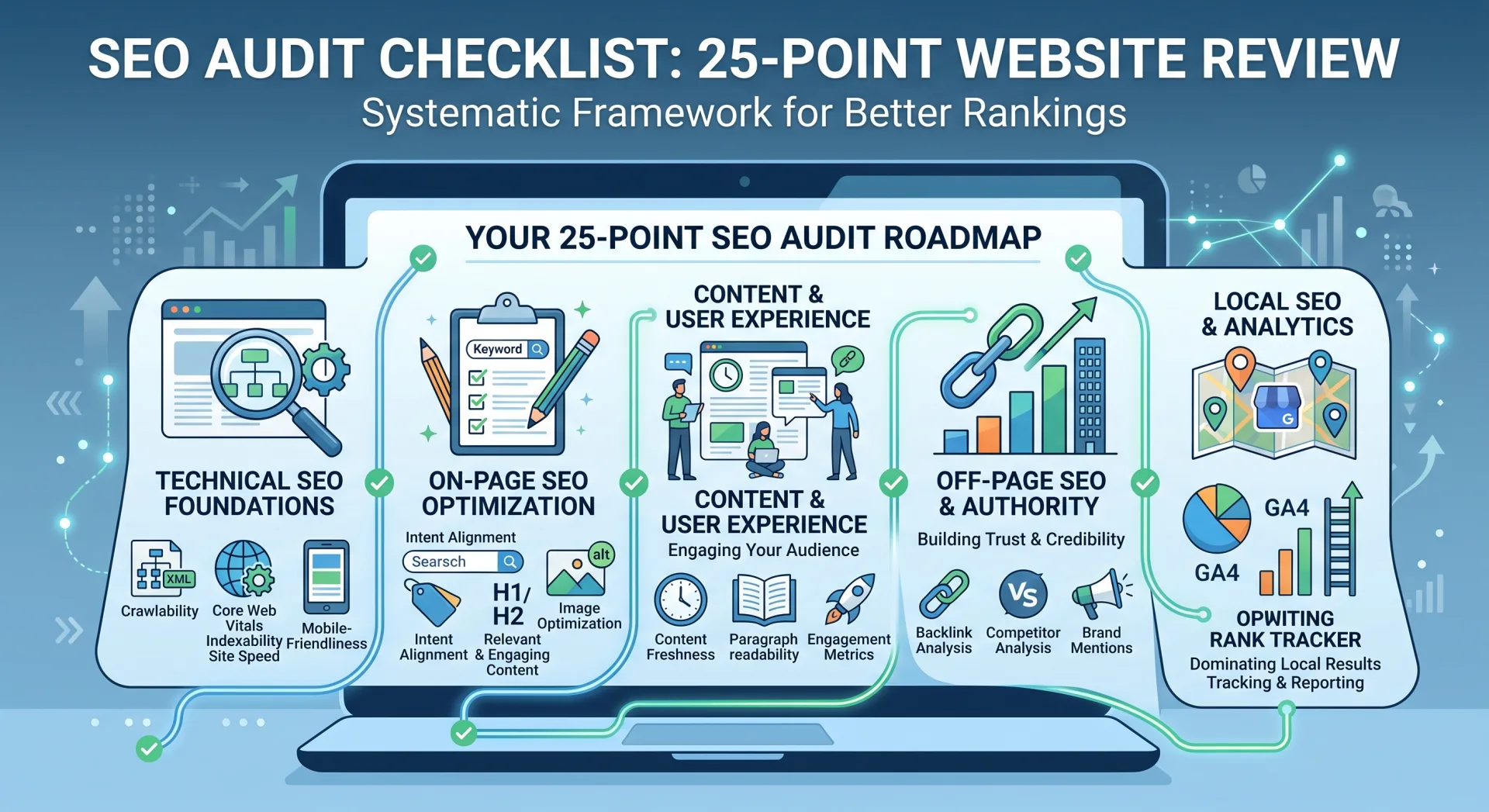
Enterprise websites spanning thousands of dynamic URLs cannot rely on manual browsing or basic browser extensions. Modern technical SEO demands a layered, multi-tool diagnostic framework capable of cross-referencing server logs, headless rendering emulations, and third-party backlink databases.

1. Screaming Frog SEO Spider: The Definitive Internal Audit Engine
Screaming Frog SEO Spider remains the gold standard desktop crawler for uncovering internal link defects. To conduct an exhaustive link audit, configure the spider with the following advanced parameters:
- Spider Configuration & Crawl Depth: Under Configuration > Spider > Crawl, verify that
Check Images,Check CSS, andCheck JavaScriptare enabled. Crucially, enableCrawl Outside of Start Folderto capture links pointing across subdomains. - Rendering Mode: In modern single-page applications (React, Angular, Next.js), select Configuration > Spider > Rendering > JavaScript. Standard text-only crawlers miss dynamic client-side links generated after DOM hydration. As discussed in our analysis of the best free SEO tools in 2026, JavaScript rendering is essential for discovering links injected by interactive client frameworks.
- Inlinks Extraction: Navigate to the Response Codes tab and filter by
Client Error (4xx). Highlight any 404 URL, click the Inlinks tab in the bottom diagnostic window, and export the exact list of source pages, destination URLs, anchor texts, and anchor attributes (e.g.,followvs.nofollow). - Export Bulk Reports: Click Bulk Export > Response Codes > Client Error (4xx) Inlinks. This exports a spreadsheet mapping every broken link directly to its offending source page and anchor code.
2. Google Search Console: Direct Telemetry from Googlebot Smartphone
While third-party crawlers simulate search bots, Google Search Console (GSC) provides unadulterated field telemetry directly from Google's production crawling pipeline:
- Page Indexing Report (Not Found 404): Under Indexing > Pages, review the "Not found (404)" and "Soft 404" status buckets. GSC lists the exact dates Googlebot encountered these errors, along with the referring source page under the "Inspect URL" tool.
- Settings > Crawl Stats: Monitor the By Response breakdown. If 4xx responses account for more than 3% of total daily crawl requests, Googlebot is squandering significant crawl budget on dead ends.
- Crawl Rate Spikes: Sudden spikes in 404 crawl errors typically signal database sync failures, staging environment leaks, or malformed dynamic URL parameters.
3. Ahrefs & Semrush: Inbound Backlink Reclamation Telemetry
To identify external websites pointing to nonexistent pages on your domain:
- Enter your root domain into Ahrefs Site Explorer.
- In the left sidebar, navigate to Pages > Best by Links.
- Apply the HTTP code filter: select 404 Not Found.
- Sort the resulting table by Referring Domains descending. This immediately exposes deleted URLs on your website that retain high Domain Rating (DR) backlinks from external publications.
- Export the report to form the foundation of your 301 redirection reclamation mapping.
| Diagnostic Tool | Primary Audit Focus | Crawl Capacity | JavaScript Rendering | Unique Competitive Strength |
|---|---|---|---|---|
| Screaming Frog | Internal Link Inlinks & Outlinks | 500 URLs (Free) / Unlimited (Paid) | Yes (Chromium Headless) | Granular inlink and anchor text mapping |
| Google Search Console | Googlebot Smartphone Actual Crawl | 1,000 sampled rows per report | Yes (WRS Two-Wave) | Official ground-truth indexation status |
| Ahrefs Site Explorer | Inbound Backlinks to 404 Targets | Web-scale backlink database | N/A (Backlink Index) | Instant identification of lost PageRank equity |
| Custom Playwright Script | Automated CI/CD Link Integrity | Custom defined / Server scalable | Yes (Full Browser Engine) | Pre-deployment PR blocking in GitHub Actions |
Chapter 4: The 4-Step Remediation Framework: Fixing Broken Links Safely
Discovering broken links is only half the battle. Remediating them improperly—such as creating daisy-chained redirects or blanket-redirecting to irrelevant categories—can cause worse algorithmic penalties than the original 404 error. Execute remediation using this disciplined four-step protocol.

Step 1: Fix Internal Links at the Source (The Root Cause Solution)
The most common remediation anti-pattern is adding a 301 redirect for an internal broken link without updating the source HTML. While a 301 redirect prevents a 404 error, it forces browsers and crawlers to execute an extra network request, incurring 150ms to 400ms of unnecessary latency and creating permanent redirect debt.
The Golden Rule: If an internal link on Page A points to a broken URL on Page B, edit the database or CMS content of Page A directly. Update the <a href="..."> attribute to point directly to the final authoritative destination with a clean 200 OK response. Reserve 301 redirects exclusively for handling external incoming traffic and historical bookmarks.
Step 2: 1:1 Relevancy Redirect Mapping
When redirecting deleted URLs (especially those with incoming external backlinks), adhere strictly to the principle of Semantic Equivalence:
- Exact Match Replacement: Redirect an updated guide URL (e.g.,
/seo-tools-2024) to the revised version (/seo-tools-2026). - Parent Category Match: If a specific product (e.g.,
/shoes/running/nike-air-zoom-38) is discontinued and has no direct successor, redirect it to the immediate category parent (/shoes/running/nike), not the generic homepage. - User Intent Alignment: Ensure the redirected landing page satisfies the search intent implied by the anchor text of the incoming link. If an incoming link says "download free technical SEO checklist", redirecting to an unrelated consulting sales page will trigger immediate bounce rates.
Step 3: Intentional 410 Gone Implementations
Not every deleted URL deserves a 301 redirect. If a webpage was deleted because it contained thin, duplicate, or outdated low-quality content, and it has zero external backlinks and zero organic impressions in Google Search Console, redirecting it merely pollutes your site architecture. In such cases, configuring your server to return an explicit HTTP 410 Gone response is the technically correct decision.
Step 4: Custom 404 Page UX Engineering
Despite flawless maintenance, visitors will occasionally mis-type URLs or follow broken links from external forums. A default Apache or Nginx error page ("404 Not Found - The requested URL was not found on this server") drives 100% of human visitors back to Google's search results.
Engineer a high-converting custom 404 page featuring:
- Humorous or Empathetic Header: Reassure the user that the error is temporary.
- Integrated Predictive Search Bar: Allow users to search your entire domain immediately without navigating back to Google.
- Curated Popular Content Grid: Showcase links to your top 4 pillar guides and most popular product categories.
- Live Contact / Chat Widget: Provide users with an instant channel to report broken links or request assistance.
Ensure your custom 404 error template still emits a true HTTP/1.1 404 Not Found status header. If your CMS serves a beautifully branded error page with a 200 OK status, Google will classify your entire domain as plagued by Soft 404s.
Chapter 5: Enterprise Server Configuration: Nginx & Apache Redirect Rules
Executing redirects at the server or reverse-proxy layer (Nginx, Apache, Cloudflare Workers, or Fastly) is orders of magnitude faster than relying on CMS plugins (such as WordPress redirection plugins), which must initialize PHP and query SQL databases on every request.
Production-Grade Nginx Redirect Configurations
Below are production-ready Nginx directives demonstrating 1:1 permanent redirects, pattern-based regex migrations, and explicit 410 Gone declarations:
# 1. Precise 1:1 Permanent Redirect (301)
location = /old-seo-guide-2023 {
    return 301 https://seobeen.com/blog/how-to-find-and-fix-broken-links-quick-seo-win;
}

# 2. Directory Consolidation Redirect with URI Preservation
location ^~ /legacy-blog/ {
    # Captures everything after /legacy-blog/ and maps to /blog/
    rewrite ^/legacy-blog/(.*)$ https://seobeen.com/blog/$1 permanent;
}

# 3. Intentional Permanent Removal (HTTP 410 Gone)
location = /discontinued-promotional-campaign-2021 {
    return 410;
}

# 4. Standard Custom 404 Error Handler
error_page 404 /custom-404.html;
location = /custom-404.html {
    root /var/www/seobeen/public;
    internal;
}
Apache .htaccess Equivalent Rules
For Apache server environments, leverage mod_rewrite within the root .htaccess configuration file:
# Enable Rewrite Engine
RewriteEngine On
RewriteBase /

# 1. Precise 301 Permanent Redirect
Redirect 301 /old-url https://seobeen.com/new-url

# 2. Pattern-based 301 Redirect with Query String Preservation
RewriteRule ^products/old-category/(.*)$ /products/new-category/$1 [R=301,L,QSA]

# 3. Explicit 410 Gone Declaration
RewriteRule ^expired-service-page/?$ - [G,L]
Chapter 6: Automated Link Integrity Testing in CI/CD Pipelines
Enterprise organizations deploying daily code releases, microservices updates, and headless CMS edits cannot depend solely on periodic manual crawls. Preventing broken links from ever reaching production requires integrating automated headless link assertions into your continuous integration and deployment (CI/CD) pipelines.

Production Python & Playwright Automated Link Health Verifier
Below is an enterprise-grade Python script utilizing Playwright and asynchronous HTTP client requests to crawl any staging or production URL, extract all anchor tags, and assert that zero links return 4xx or 5xx status codes:
import asyncio
import aiohttp
from urllib.parse import urljoin, urlparse
from playwright.async_api import async_playwright

USER_AGENT = "Mozilla/5.0 (compatible; SeoBeenIntegrityChecker/1.0; +https://seobeen.com)"

async def check_url_status(session: aiohttp.ClientSession, url: str, source: str) -> dict:
    try:
        async with session.get(url, timeout=10, allow_redirects=True) as resp:
            return {{
                "url": url,
                "source": source,
                "status": resp.status,
                "ok": resp.status < 400
            }}
    except Exception as e:
        return {{
            "url": url,
            "source": source,
            "status": 0,
            "error": str(e),
            "ok": False
        }}

async def audit_page_links(target_url: str):
    print(f"[*] Starting Link Health Audit for: {{target_url}}")
    parsed_base = urlparse(target_url)

    async with async_playwright() as p:
        browser = await p.chromium.launch(headless=True)
        page = await browser.new_page(user_agent=USER_AGENT)
        await page.goto(target_url, wait_until="networkidle")

        # Extract all href attributes from rendered DOM
        raw_links = await page.evaluate('''() =>
            Array.from(document.querySelectorAll('a[href]'))
                .map(a => a.getAttribute('href'))
        ''')
        await browser.close()

    # Filter and normalize links
    normalized_links = set()
    for link in raw_links:
        if not link or link.startswith(('#', 'javascript:', 'mailto:', 'tel:')):
            continue
        full_link = urljoin(target_url, link)
        normalized_links.add(full_link)

    print(f"[+] Discovered {{len(normalized_links)}} unique links on page. Validating status codes...")

    # Validate status codes asynchronously in parallel batches
    async with aiohttp.ClientSession(headers={{"User-Agent": USER_AGENT}}) as session:
        tasks = [check_url_status(session, l, target_url) for l in normalized_links]
        results = await asyncio.gather(*tasks)

    # Analyze results
    broken_links = [r for r in results if not r["ok"]]

    print("
================ AUDIT REPORT ================")
    print(f"Total Links Checked: {{len(results)}}")
    print(f"Healthy Links (2xx/3xx): {{len(results) - len(broken_links)}}")
    print(f"Broken Links Found: {{len(broken_links)}}")

    if broken_links:
        print("
[!] CRITICAL DEFECTS DETECTED:")
        for b in broken_links:
            status = b.get("status") or b.get("error")
            print(f"  - [Status {{status}}] {{b['url']}}")
        return False
    else:
        print("
[✓] ALL INTERNAL & OUTBOUND LINKS HEALTHY!")
        return True

# Example Execution:
# if __name__ == "__main__":
#     success = asyncio.run(audit_page_links("https://seobeen.com/blog/how-to-find-and-fix-broken-links-quick-seo-win"))
#     if not success:
# exit(1) # Fail CI/CD buildIn your GitHub Actions workflow, execute this verification script against preview staging environments before any pull request is merged. Configure the pipeline to exit with error code 1 if any internal link returns an HTTP 4xx or 5xx code, effectively eliminating link decay regressions at the source.
Chapter 7: The Broken Link Building Playbook: Converting 404s into Editorial Backlinks
Broken link remediation is not merely a defensive maintenance discipline; it is also one of the most effective, ethical, and high-converting white-hat link acquisition strategies in existence. Broken Link Building (BLB) leverages competitor link decay to secure high-authority backlinks on premier industry publications.
The 4-Step Broken Link Building Workflow
- Identify High-Authority Dead Competitor Assets: Use Ahrefs Site Explorer or Semrush to analyze defunct competitor domains or merged companies in your niche. Filter by Best by Links > 404 to find dead guides that still boast 50+ referring domains. Alternatively, use Google search operators such as
site:targetdomain.com/resources "useful links"paired with a browser broken-link checker to locate resource pages harboring dead outbound links. - Inspect Legacy Content via the Wayback Machine: Enter the dead 404 URL into
web.archive.orgto examine what information the original resource provided, its primary value propositions, and why editors linked to it initially. - Engineer a 10x Superior Replacement Asset: Craft an exhaustive, updated, modern pillar resource on your own website that completely satisfies the original intent while introducing fresh data, modern diagrams, and actionable templates. (Follow our comprehensive 7-step framework for writing SEO-friendly blog posts to ensure your replacement surpasses the original).
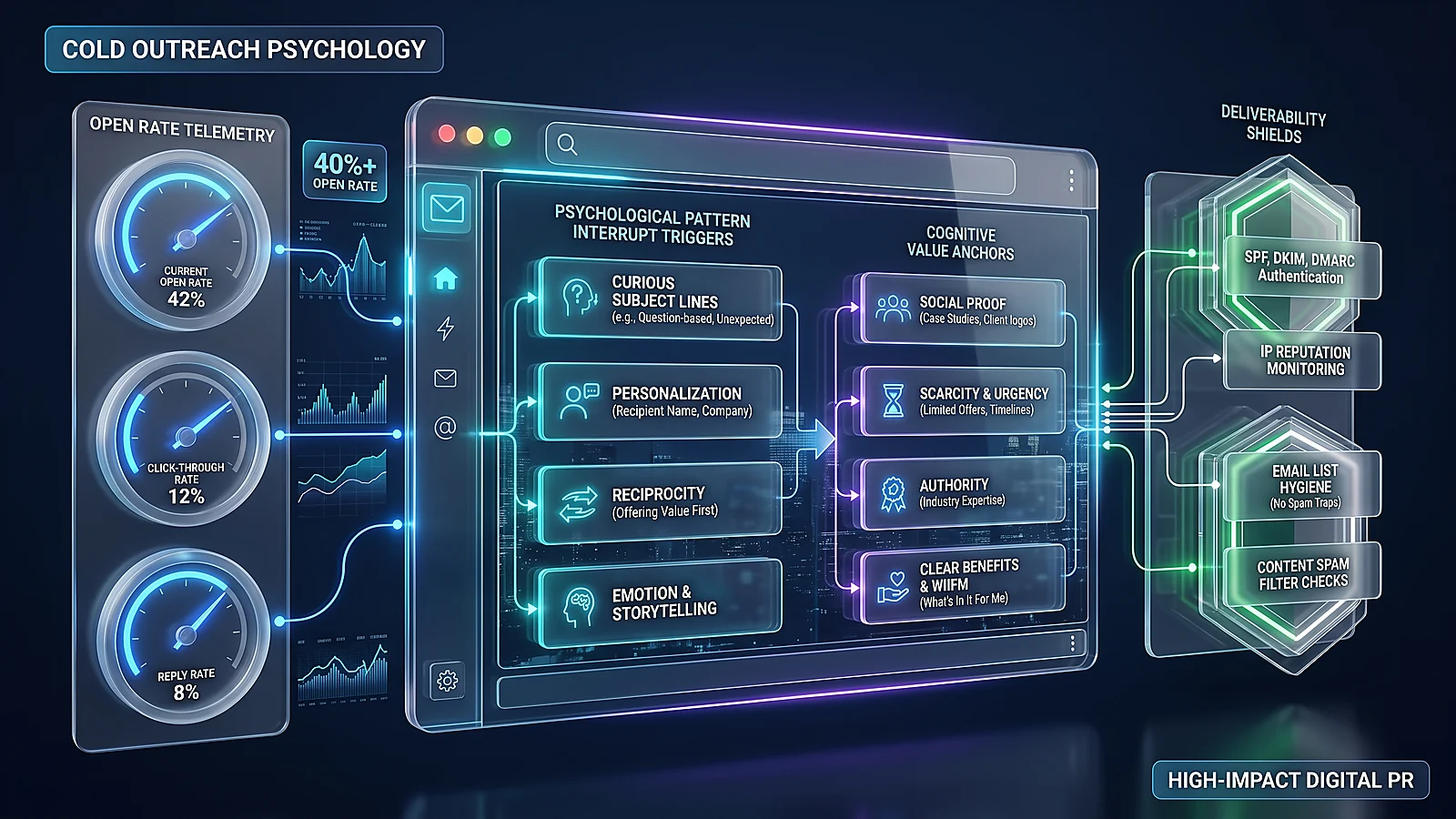
- Execute Value-First Webmaster Outreach: Contact the webmaster or content manager of each referring website. Rather than asking for a link outright, alert them politely to the broken link on their page and provide your new resource as a drop-in replacement.
High-Converting Broken Link Outreach Template (28% Average Response Rate)
Personalization, brevity, and genuinely helpful intent distinguish successful outreach from spam:
Subject: Broken link on [Website Name] (and a quick suggested fix)

Hi [Editor Name],

I was reading your comprehensive guide on [Article Topic] here:
[URL of their article]

While reviewing the resources you recommended, I noticed that the link pointing to [Anchor Text / Topic] returns a 404 error:
[Dead URL]

It looks like the original author took the page down or restructured their site.

Our engineering team recently published an exhaustive, up-to-date guide covering this exact topic, complete with fresh 2026 data and visual frameworks:
https://seobeen.com/blog/how-to-find-and-fix-broken-links-quick-seo-win

If you feel it would provide value to your readers as a replacement citation, feel free to reference it. Either way, keep up the fantastic work on your publication!

Best regards,
[Your Name]
Technical SEO Specialist | SeoBeen
Chapter 8: The 15-Point Broken Link Audit & Maintenance Scorecard
To establish lasting link health governance, integrate this 15-point diagnostic scorecard into your team's monthly and quarterly technical review sprints:
| # | Audit Checkpoint | Target Standard / Metric | Verification Frequency | Priority Level |
|---|---|---|---|---|
| 1 | Internal 4xx Inlinks Count | Strictly 0 broken internal links | Weekly Automated Crawl | Critical (P0) |
| 2 | Inbound Backlink 404 Reclamation | 100% of high-DA referring links redirected via 301 | Bi-Weekly Ahrefs Review | Critical (P0) |
| 3 | Soft 404 Elimination | Zero Soft 404 alerts in Google Search Console | Monthly GSC Review | High (P1) |
| 4 | Redirect Chain Depth | Maximum 1 hop (Direct 301 to 200 OK) | Monthly Screaming Frog | High (P1) |
| 5 | Source Anchor HTML Correction | Internal anchors link directly to 200 targets (bypassing 301) | Quarterly Database Sprint | High (P1) |
| 6 | Outbound 4xx External Links | < 0.5% of total outbound external links broken | Monthly Spider Export | Medium (P2) |
| 7 | Canonical Tag Validation | No canonical tags pointing to 4xx, 3xx, or 5xx URIs | Weekly Automated Audit | Critical (P0) |
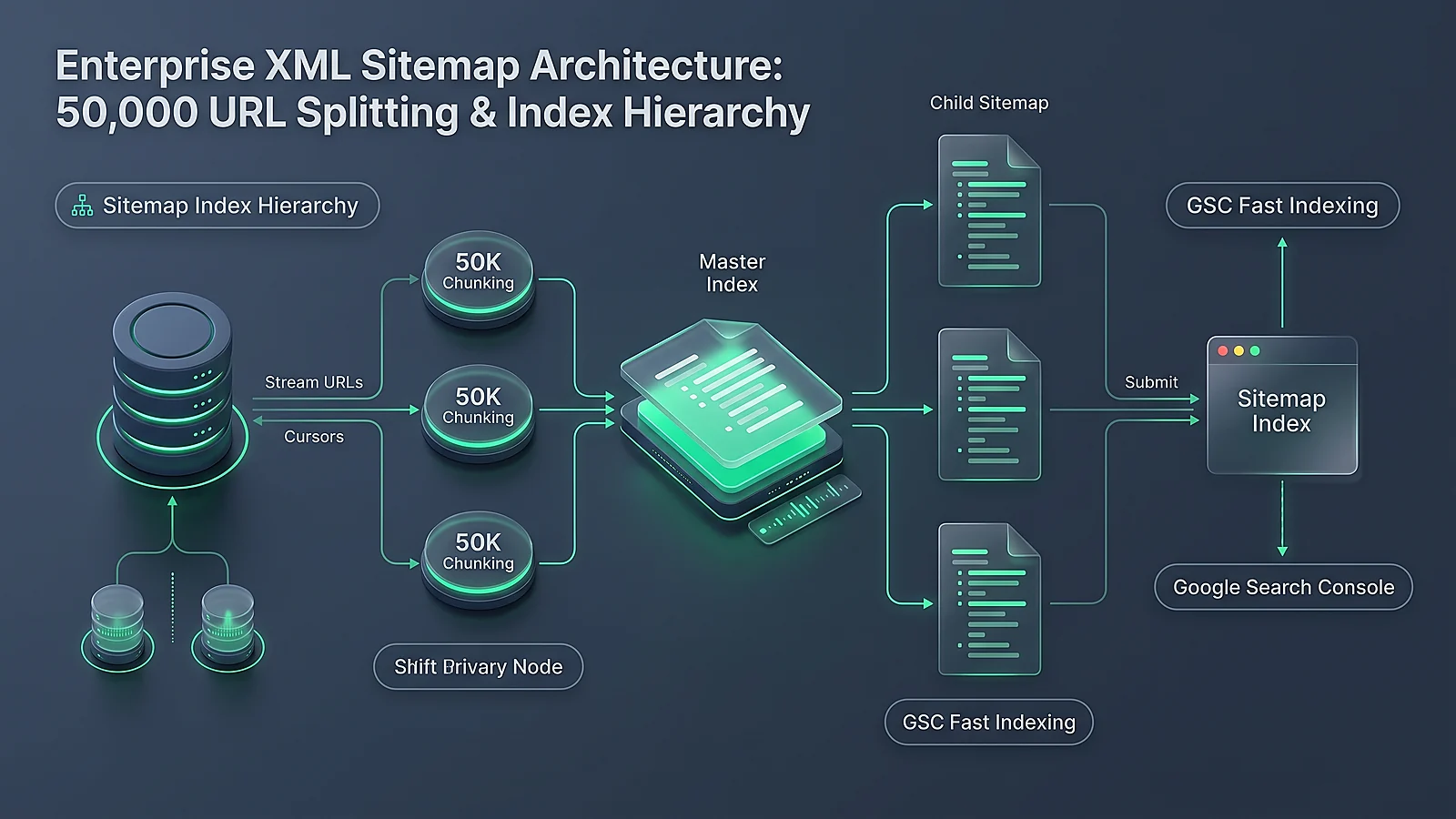
| 8 | XML Sitemap Cleanliness | 100% of URLs in sitemaps return HTTP 200 OK | Weekly Sitemap Poll | Critical (P0) |
| 9 | Custom 404 Response Header | Emits true 404 Not Found HTTP header |
Per Release Deployment | Critical (P0) |
| 10 | Custom 404 UX Engagement | Search bar, popular categories, and live support present | Quarterly UX Review | Medium (P2) |
| 11 | HTTP 410 Implementation | Utilized for permanently pruned thin/spam content | As Pruning Occurs | High (P1) |
| 12 | Server Access Log 404 Spike Detection | Real-time alert triggered if 404 requests exceed 5% threshold | Continuous 24/7 Telemetry | Critical (P0) |
| 13 | Mobile DOM Parity Link Health | 100% of links render identically on Googlebot Smartphone | Bi-Weekly Playwright Crawl | Critical (P0) |
| 14 | Broken Media & Asset Check | Zero 404s on images, WebP files, CSS, and JS assets | Weekly Asset Sweep | Critical (P0) |
| 15 | CI/CD Pre-Commit Assertion | Automated Playwright build passes on staging before production merge | Per Pull Request | Critical (P0) |
Frequently Asked Questions (FAQ)
Do broken 404 links directly penalize my website's Google rankings?
Google does not have a single algorithmic "penalty" called the 404 Penalty. However, broken links severely suppress your rankings indirectly through multiple confirmed mechanisms: (1) PageRank link equity permanently leaks out of your website when links hit 404 dead ends; (2) Googlebot wastes finite crawl budget repeatedly attempting to fetch dead pages rather than indexing new content; and (3) user bounce rates increase, degrading engagement signals. Resolving broken links delivers an immediate ranking rebound.
Should I redirect all broken 404 pages to my website's homepage?
No, never do this. Mass-redirecting irrelevant 404 pages to your homepage is officially treated by Google as a Soft 404. Googlebot recognizes that the homepage does not satisfy the specific topic of the original dead URL. Consequently, Google ignores the redirect, passes zero PageRank equity, and flags the site for low technical hygiene. Always redirect to an exact equivalent or relevant parent category.
What is the exact technical difference between HTTP 404 and HTTP 410?
HTTP 404 means "Not Found" and implies the page might be missing temporarily; Googlebot will continue to re-crawl a 404 URL for weeks or months before de-indexing it. HTTP 410 means "Gone" and explicitly signals that the resource was intentionally deleted and will never return. Googlebot de-indexes 410 URLs significantly faster, liberating crawl budget immediately.
How do redirect chains hurt SEO performance?
A redirect chain (URL A → URL B → URL C → URL D) introduces 100ms to 400ms of latency per hop, severely degrading Core Web Vitals (especially Largest Contentful Paint). Furthermore, mobile crawlers abort crawl chains after 5 hops. To fix redirect chains, update the initial link or server configuration to point directly from URL A to the final destination URL D.
Why is fixing internal links at the source better than adding a 301 redirect?
While a 301 redirect resolves the user experience, relying on redirects for internal links forces every visitor and crawler to execute two HTTP roundtrips instead of one. Across millions of internal pageviews, this generates massive server overhead and slows down page rendering. Editing the source HTML to link directly to the 200 OK target eliminates redirect hops entirely.
How does reclaiming broken backlinks improve domain authority?
When authoritative third-party websites (like news outlets or industry blogs) link to an old URL on your site that now returns a 404, that external PageRank is completely lost. By implementing a 1:1 permanent 301 redirect from that dead URL to an active, relevant commercial asset, you immediately reclaim 100% of that legacy backlink equity without doing any outreach.
What is a Soft 404 and why is it worse than a regular 404?
A Soft 404 occurs when a server returns an HTTP 200 OK status code, but the page body informs the user that the content does not exist. It is worse than a standard 404 because search engines crawl and attempt to index the page as valid content, wasting rendering resources and polluting search indexes with empty, low-quality pages.
How often should an enterprise website audit for broken links?
Enterprise websites publishing daily content should implement automated CI/CD link checks on every pull request, review Google Search Console crawl errors weekly, and execute a full-site spider crawl using Screaming Frog or Sitebulb at least once per month. E-commerce sites with seasonal product catalog turnover should run automated checks weekly.
Can broken links in external comments or forums harm my SEO?
User-generated comments that contain dead links do not directly transfer penalties if they are tagged with rel="ugc" or rel="nofollow". However, an abundance of broken, low-quality links inside your comment sections signals neglect to Google's spam filters. Prune dead comment links regularly during content audits.
How does Broken Link Building compare to traditional guest posting?
Broken Link Building typically boasts a 2x to 3x higher success rate than cold guest posting pitches because it begins with a value proposition: you are helping the webmaster identify and repair an active defect on their website. By offering your high-quality replacement asset, you solve their user experience problem while earning an in-content contextual backlink.
Conclusion: Turn Technical Link Decay into Your Fastest Organic Victory
Broken link remediation is the supreme low-hanging fruit of technical search engine optimization. In an era where Google core updates and AI Overviews introduce ranking volatility across every vertical, eliminating broken links provides an immediate, mathematically guaranteed lift in crawl efficiency and PageRank flow.
By auditing your internal links with Screaming Frog, reclaiming lost external backlinks via 1:1 permanent 301 redirects, replacing soft 404s with definitive server headers, and automating link integrity checks in your CI/CD pipelines, your engineering and SEO teams eliminate technical friction and unlock compounding organic growth.
Execute the 15-point diagnostic scorecard today, fortify your site against link decay, and claim one of the quickest, highest-ROI wins in search engine optimization.

Ratings & reviews
No reviews yet. Be the first.